Why iPhone Smart HDR Fails the Y2K Direct-Flash Aesthetic (And How AI Fixes It)
Discover why default smartphone camera processing erases 2000s flash aesthetics and how conversational AI relighting restores direct lighting physics.
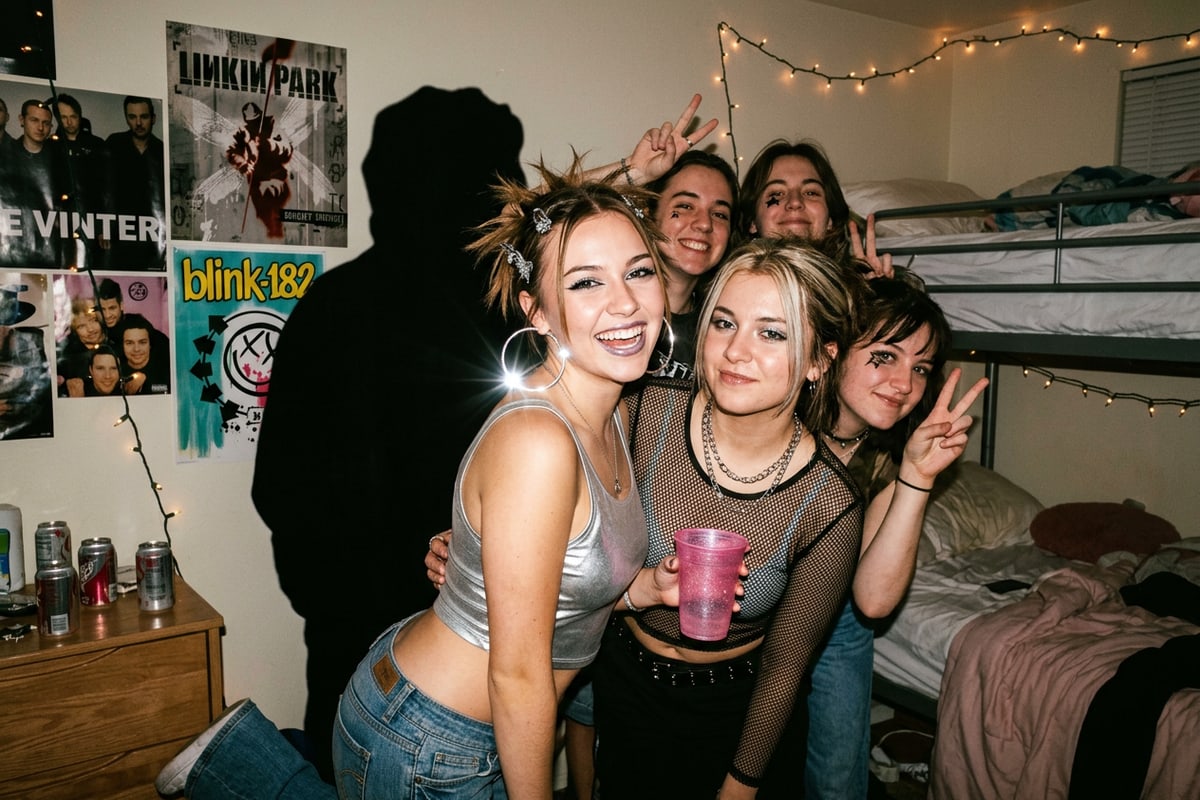
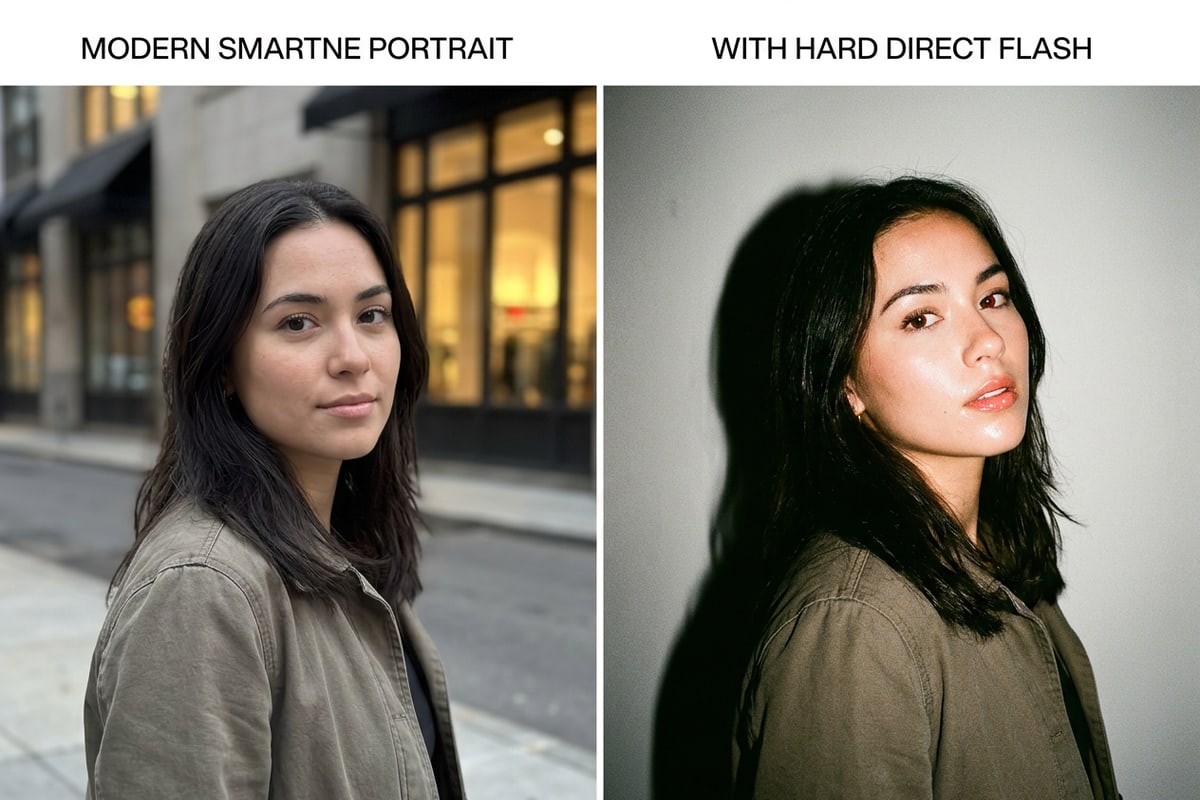
When you snap a night portrait on a modern iPhone, computational photography features like Deep Fusion and Smart HDR immediately step in to equalize the image. By synthesizing multiple exposure frames in real time, the camera actively neutralizes blown-out highlights, lifts dark background shadows, and smooths skin tones. While this multi-exposure balance produces clear, noise-free shots, it completely erases the high-contrast drama that defines early 2000s point-and-shoot digicam photos.[1]
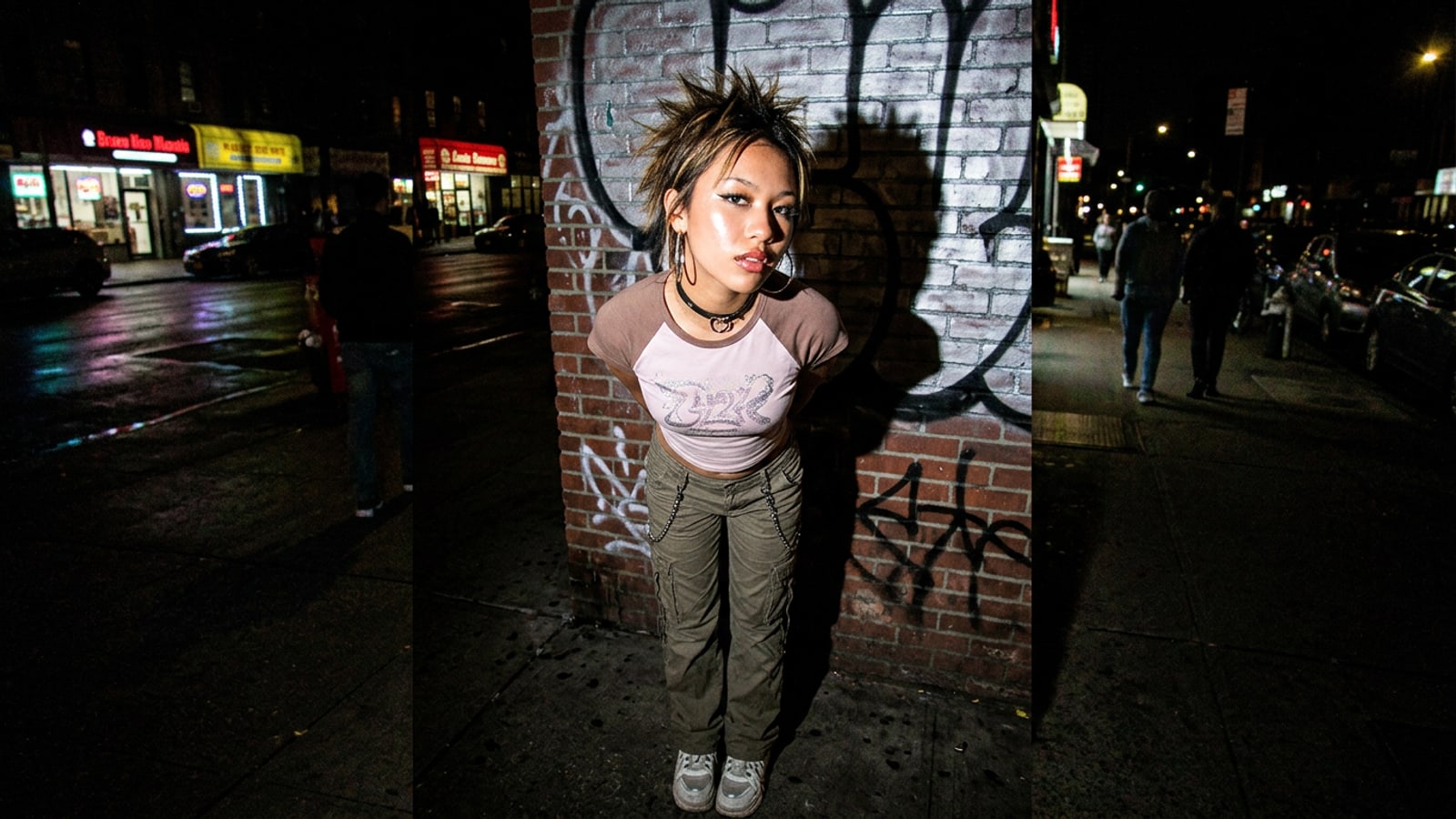
The viral Y2K direct-flash look relies on optical physics that modern smartphone cameras consider computational errors. Authentic 2000s compact camera snapshots were lit by un-diffused Xenon strobes mounted directly beside the lens, firing straight at the subject. This creates intense specular highlights on glossy skin surfaces, severe inverse-square light falloff in the background, and razor-sharp drop shadows cast directly behind the subject.[1][2][4]
Applying traditional 2D color adjustments cannot reconstruct these missing physical light sources. A simple color edit only alters existing pixel values without recalculating 3D illumination or generating authentic specular bounce. Generative AI conversational photo editing in CARA Agent overcomes this limitation by analyzing scene geometry and relighting the portrait with realistic direct-flash physics while preserving facial identity.[1][4]
- Smart HDR multi-frame exposure smoothing erases harsh background drop shadows and flattens scene depth.[1]
- Un-diffused frontal Xenon strobe physics create bright specular highlights on lip gloss and cheekbones.[1][3]
- Conversational AI relighting in CARA Agent recalculates light vectors on source photos rather than applying flat 2D color adjustments.[1]
The 4-Block Physical Lighting Prompt Framework for Y2K Digicam Flash
Learn the four essential prompt components that instruct AI models to generate realistic 2000s direct-flash characteristics.
Vague prompt descriptors like 'Y2K filter' or '2000s camera style' often yield unpredictable results, such as heavy blur or yellowed grain, without adding actual flash lighting. To reliably override smartphone HDR smoothing, you need to structure your natural language request in CARA Agent using four precise physical lighting blocks.[1][4]
The 4-block physical lighting framework breaks down direct-flash optics into specific, actionable instructions: Lighting Physics, Specular Surfaces, Shadow Falloff, and Hardware Emulation. By explicitly defining how light hits skin, bounces off reflective textures, and casts sharp background shadows, you give the generative model exact visual parameters.[1][4]
- Block 1 (Lighting Physics): Direct, un-diffused frontal camera flash firing in total darkness or low ambient light.[1]
- Block 2 (Specular Surfaces): Bright glossy lip sheen, reflective cheekbone highlights, and glowing metallic accessories.[1][3]
- Block 3 (Shadow Falloff): Sharp black drop shadow cast directly behind the subject on adjacent surfaces with steep inverse-square falloff.[1][4]
- Block 4 (Hardware Emulation): Early 2000s CCD sensor color rendering, warm skin tones, and subtle digital camera snapshot texture.[1][2]
Step-by-Step Tutorial: Relighting Night Portraits with CARA Agent on iPhone
A practical guide to transforming low-light iPhone portraits into Y2K direct-flash snapshots using CARA Agent and AI tools.
Transforming an ordinary night portrait into an authentic Y2K direct-flash photo takes only a few simple prompts in CARA Agent on iOS. Because CARA relies on cloud processing to recalculate lighting physics, ensure you have an active internet connection before starting.
Follow these practical steps to upload your base photo, apply physical lighting prompts, and clean up background details using CARA's creative toolkit.
- Select and Upload a Clean Low-Light Base Photo
Open CARA on your iPhone and upload a low-light or night portrait. Choose an image where the subject's face is clearly visible, as extreme blur or total darkness makes it harder for the AI to calculate specular skin highlights.[1]
- Refine Background and Details with Focused AI Tools
If unwanted background objects or distracting glare appear in the generated flash photo, use AI Eraser to remove them, or apply AI Replace to adjust specific outfit textures like turning a matte top into shiny Y2K metallic fabric.
- Format into a Social Grid with Photo Collage Maker
Once your direct-flash portrait is generated, import it into CARA's Photo Collage Maker to arrange multiple angle edits into a 3-panel vertical layout for high social media engagement.[1]
Troubleshooting Common Y2K Flash Relighting Artifacts and Edge Cases
Learn how to resolve common lighting issues such as overexposed skin highlights, lost background depth, or unnatural shadow boundaries.
Generative AI direct-flash relighting requires balancing high contrast with natural subject geometry. When working with extreme lighting commands, cloud AI models can occasionally produce overexposed facial spots or inconsistent background shadows.[1]
Understanding how to quickly adjust your prompt inputs in CARA Agent lets you troubleshoot these visual edge cases without starting over.[1][4]
- Overblown Skin Hotspots: If facial highlights appear clipped or artificial, add 'balanced specular highlights on skin with natural tone preservation' to your follow-up prompt.[1]
- Floating Shadows: If the direct drop shadow detaches from the subject, specify the wall distance, such as 'crisp dark drop shadow cast directly onto the wall 1 foot behind subject'.[1][4]
- Distracting Background Elements: Use CARA's AI Eraser to clean up background light flares or stray street lights that compete with the central Xenon strobe effect.
3 Copyable Y2K Flash Prompt Recipes for CARA Agent
Ready-to-use prompt strings designed for party snapshots, paparazzi night street shots, and indoor digicam selfies.
Ready to generate your Y2K flash photos? Copy and paste these pre-tested prompt recipes directly into CARA Agent for instant direct-flash transformations across different aesthetic scenarios.[1]
Each recipe combines physical lighting mechanics with environmental styling so you get authentic 2000s point-and-shoot camera results every time.[1][4]
- Recipe 1: Indoor Y2K Party Snapshot — 'Raw 2000s point-and-shoot snapshot, direct un-diffused on-camera flash strobe lighting, intense specular highlights on cheekbones and lip gloss, sharp dark drop shadow cast on bedroom wall, warm CCD camera color balance, dramatic light falloff into dark background'[1][3]
- Recipe 2: Night Street Paparazzi Flash — 'Candid night street paparazzi portrait, harsh frontal direct flash, high contrast illumination, reflective silver jewelry and metallic jacket highlights, deep pitch-black background falloff, crisp dark shadow behind subject, authentic early digital camera snapshot style'[1][4]
- Recipe 3: Bedroom Glam Digicam Selfie — 'Close-up indoor digicam selfie, harsh frontal key light flash, intense glossy lip sheen, reflective eye highlights, sharp black drop shadow on closet door behind subject, warm digital camera sensor color tint'[1][2]