
Key Analytical Findings
This report synthesizes global market valuations from Dataintelo with eye-tracking behavioral data from Landdding and cross-cultural cognitive studies from the NIH. By comparing these datasets, we identified structural shifts in visual hierarchy preferences and how generative AI is facilitating new digital layout techniques.
AI-Accelerated Analogism
Generative AI is paradoxically accelerating analog art forms like digital scrapbooking rather than replacing them with sterile perfection.[4][5][13]
- Evidence chain
- Users increasingly employ neural background removal to isolate subjects and AI generators to synthesize custom textures, effectively digitizing the traditional 'scissors and glue' process at scale.
- Why it matters
- Digital creators should focus on tools that simulate tactile imperfection and modular assembly rather than one-click, hyper-polished filters.
- Limit
- This trend is highly dependent on current 'Zine' aesthetics; if the market becomes saturated, visual preferences may swing back toward hyper-polished surrealism.
Cognitive Chunking vs. Linear Storytelling
Bento grids are replacing linear layouts because they better accommodate fragmented digital attention spans.[2][8][11]
- Evidence chain
- Behavioral data indicates users navigate hierarchical, boxed information significantly faster than traditional grids, fixating on larger anchor blocks 2.6x longer to assign emotional importance.
- Why it matters
- Collages are evolving from simple memory displays into sophisticated data visualization tools for human experiences.
- Limit
- Rigid Bento grids can stifle organic creativity if not combined with freeform overlays or Z-axis depth techniques.
The Automation vs. Control Paradox
The photo editing market is bifurcating into two distinct user needs: rapid automated assembly and granular, tactile control.[1][5][14]
- Evidence chain
- While market growth is driven by AI-assisted storytelling, user behavior shows a strong preference for complex, layered designs that require high time investment and manual adjustment of AI outputs.
- Why it matters
- Successful collage creation requires a hybrid workflow: using templates for the base structure, then applying targeted AI tools like outpainting and background removal for custom refinement.
- Limit
- This analysis relies on aggregate market data and may not reflect the preferences of highly niche digital art communities.
Findings regarding visual attention and cultural preferences are based on broad demographic studies. Individual user engagement with specific collage layouts will vary based on the emotional resonance of the personal photos used.
The Death of the Symmetrical Grid
Traditional, rigid photo grids are losing their appeal as digital storytelling shifts toward dynamic, asymmetric layouts powered by generative AI.
For years, the standard 3x3 square grid was the undisputed king of digital photo sharing. It was safe, predictable, and mathematically balanced. However, as the global photo editing software market expands toward a valuation of billions, user preferences are rapidly shifting away from these sterile templates.[1][5]
The modern digital landscape demands more than just a collection of images; it requires narrative. We are witnessing the rise of the 'Imperfect by Design' movement, where creators intentionally use asymmetric layouts to mimic the tactile feel of physical scrapbooks. This shift toward generative AI-assisted storytelling allows users to break free from rigid constraints and build collages that feel organic and deeply personal.[1][10][13]
The Bento Strategy: Encoding Hierarchy into Layouts
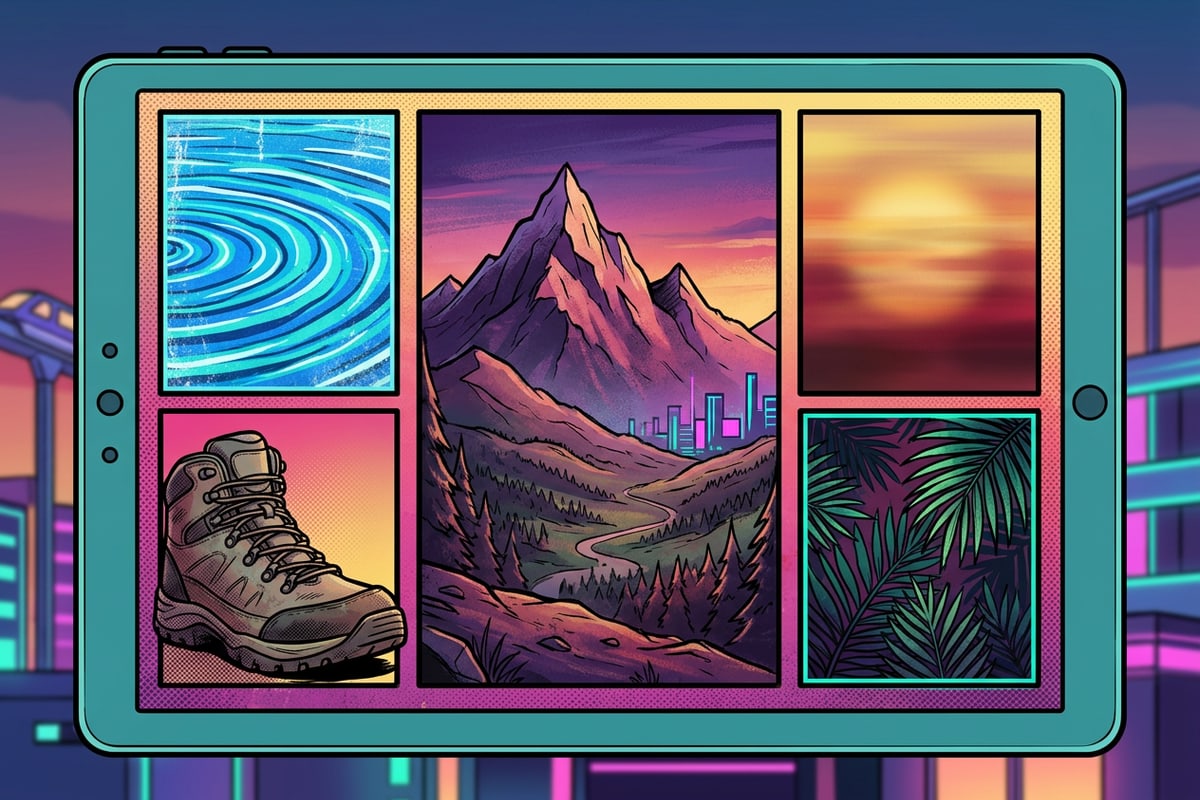
Bento grids use varying cell sizes to direct viewer attention, reducing decision fatigue and increasing engagement.
Borrowed from the compartmentalized design of Japanese lunchboxes, the Bento grid has become a dominant force in digital layout strategy. Unlike traditional grids where every photo carries equal weight, Bento grids use modular blocks of different sizes to establish a clear visual hierarchy.[8][11]
The psychology behind this layout is powerful. Eye-tracking behavioral data reveals that users fixate on larger anchor elements significantly longer than peripheral ones. By assigning your most important photo to the largest block, you anchor the viewer's attention. Furthermore, this compartmentalized approach helps process information faster, reducing visual decision fatigue by nearly a quarter.[2]
- Use the largest cell for your 'hero' image—the photo that carries the most emotional weight.
- Fill smaller surrounding cells with contextual details, such as close-up textures, landscapes, or candid moments.
- Maintain consistent spacing (gutters) between the blocks to keep the layout feeling organized despite the asymmetry.[8]
Mastering the Z-Axis: Creating Depth with AI Cutouts
Move beyond flat 2D grids by using AI background removal to layer subjects over other elements, creating a three-dimensional effect.
The most significant limitation of traditional photo collages is their inherent flatness. Photos sit side-by-side, trapped within their respective borders. Advanced collage design breaks this barrier by introducing the 'Z-axis'—the illusion of depth created by layering elements on top of one another.[4][10]
This technique, once requiring complex desktop software, is now accessible through AI subject isolation. By removing the background from a specific photo, you transform the subject into a freestanding sticker or layer. When this isolated subject is placed so it slightly overlaps the borders of other grid cells, it breaks the rigid structure and creates a dynamic, multi-dimensional 'sandwich' effect.[4][7]
- Prepare Your Base Grid
Assemble your foundational photos using Cara's Photo Collage Maker, leaving one cell intentionally blank or filled with a simple texture.
- Isolate Your Subject
Take the photo you want to feature and use Cara's Remove Background tool. The AI will isolate the subject, creating a clean cutout.
- Layer and Overlap
Place the newly created cutout over your base grid. Position it so it breaks the boundary of at least one grid line to maximize the 3D effect.
Solving the Aspect Ratio Conflict with Image Extender
Generative outpainting eliminates the need for aggressive cropping, allowing you to fit any photo into any collage slot seamlessly.
Every collage creator has faced the aspect ratio conflict: you have a stunning horizontal landscape photo, but the only available slot in your chosen template is a tall vertical rectangle. Historically, the only solution was to aggressively crop the image, often losing vital context or ruining the composition.[4]
Generative outpainting has completely solved this friction point. Instead of cutting away the image to fit the frame, AI synthesizes matching pixels to expand the image beyond its original borders. This allows you to preserve the original focal point while seamlessly filling the required layout slot with generated, contextually accurate edge content.[4][8][14]
Cultural Composition: Holistic vs. Analytic Layouts
Understanding global variations in visual attention can help you design collages that resonate with specific audiences.
Advanced collage design isn't just about aesthetics; it's about understanding how different audiences process visual information. Cognitive studies reveal significant cultural variations in visual attention, broadly categorized into analytic and holistic cognitive styles.[3][12]
Western audiences often lean toward analytic processing, preferring layouts with a clear, singular focal point and ample negative space. In contrast, East Asian visual preferences frequently favor holistic processing, where context-inclusive backgrounds and denser, interconnected layouts are perceived as more balanced and engaging. When designing collages for a global social media presence, adjusting your layout density to match these cultural cognitive styles can dramatically impact viewer retention.[3][6][9]
The 'Imperfect by Design' Movement
Generative AI is being used to simulate the tactile, imperfect nature of physical scrapbooking.
As digital tools become more capable of producing flawless, hyper-realistic images, a counter-movement has emerged. Creators are actively seeking ways to reintroduce human imperfection into their work. This trend, often referred to as AI-accelerated analogism, uses advanced technology to simulate the tactile feel of physical media.[10][13]
Instead of using AI to create sterile perfection, users are leveraging tools like background removal and AI object replacement to build digital 'zines.' By combining isolated photo cutouts with generated textures, creators are digitizing the scissors-and-glue process, resulting in collages that feel authentic, nostalgic, and deeply personal.[4][14]
Workflow: Building Your First Advanced Collage in Cara
A practical guide to combining Cara's AI tools for a professional, multi-layered collage.
Creating an advanced collage requires moving beyond a single tool. The most compelling designs are born from a workflow that combines structural layout with generative refinement. By treating Cara as a suite of interconnected tools rather than just a template engine, you unlock entirely new creative possibilities.
Start by establishing your foundation, then use AI to solve spatial problems, and finally, break the grid to add depth. This three-phase approach ensures your final piece is both organized and visually striking.
- Step 1: Select a Bento Foundation
Open the Photo Collage Maker and select a flexible grid layout that features one large anchor cell and several smaller supporting cells.
- Step 2: Outpaint for Perfect Fit
If a crucial photo doesn't fit its designated cell, use the Image Extender tool first to generate additional background, ensuring the subject remains perfectly framed without cropping.
- Step 3: Add Z-Axis Depth
Process a standout photo through the Remove Background tool. Save the isolated subject, then overlay it onto your collage so it bridges the gap between two separate grid cells.