 Scan to Download
Meet Your Other Selves Through AI Magic
Step into a world where you can stand side-by-side with your anime, cartoon, or high-fashion self in just one tap with CARA.
The Rise of the 'Multi-Me' Portrait
Why seeing double (or triple) is the latest social media obsession.
Beyond the Basic Selfie
We've all seen the standard selfie, but the internet is currently obsessed with something far more imaginative: photos where people appear alongside different versions of themselves. Whether it's a realistic portrait next to a hand-drawn illustration or a high-fashion model standing with a chibi-style figurine of herself, these images tell a story about identity and creativity that a regular photo simply can't capture.
This trend isn't just about showing off; it's about exploring the "what ifs" of our own appearance. What would I look like as an anime character? What if I lived in a high-fashion editorial world? Using advanced AI technology like Google's Nano Banana Pro, these concepts are no longer limited to professional graphic designers. Now, anyone with an iPhone can bring these surreal visions to life in seconds.
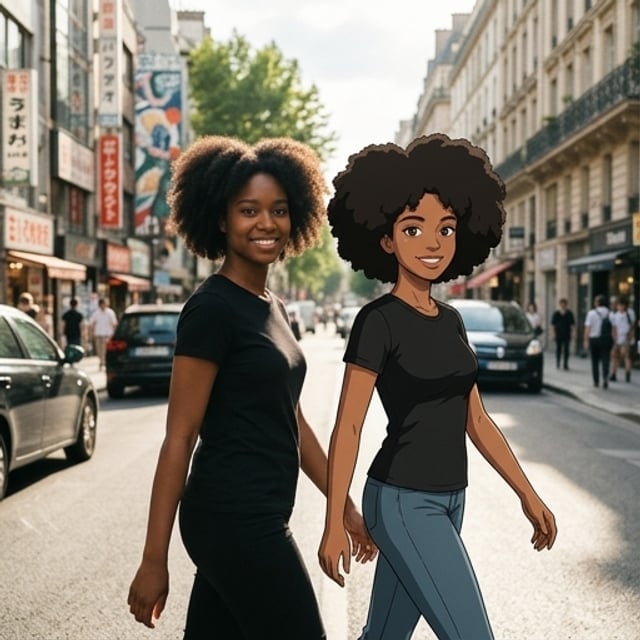
In the image above, you can see how seamless the integration can be. By using CARA's template-based generation, the AI maintains the essence of the person—their smile, their hair texture, their vibe—while translating them into a completely different artistic dimension. It's playful, it's striking, and it's guaranteed to stop the scroll on any social feed.
Explore the Multiverse of Style
A gallery of what's possible when you let AI take the lead.
The beauty of using an AI-powered tool like CARA is the sheer variety of styles available. You don't need to learn complex editing software or spend hours masking layers. The AI does the heavy lifting, allowing you to focus on the fun part: picking the vibe that matches your mood today.
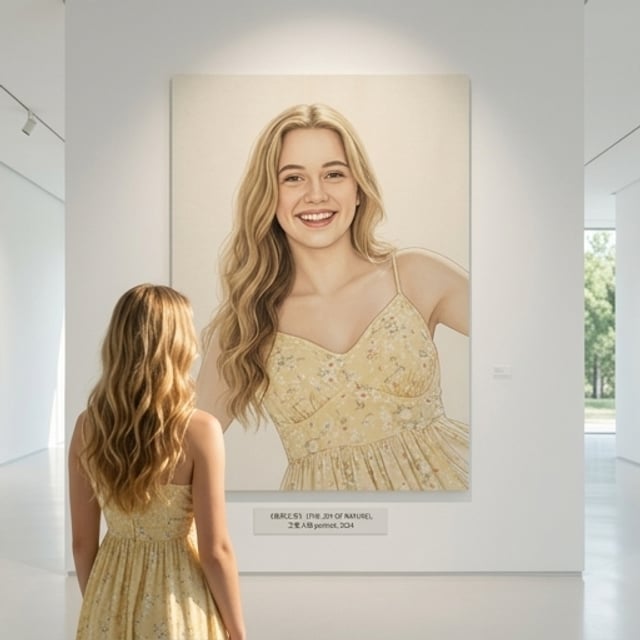
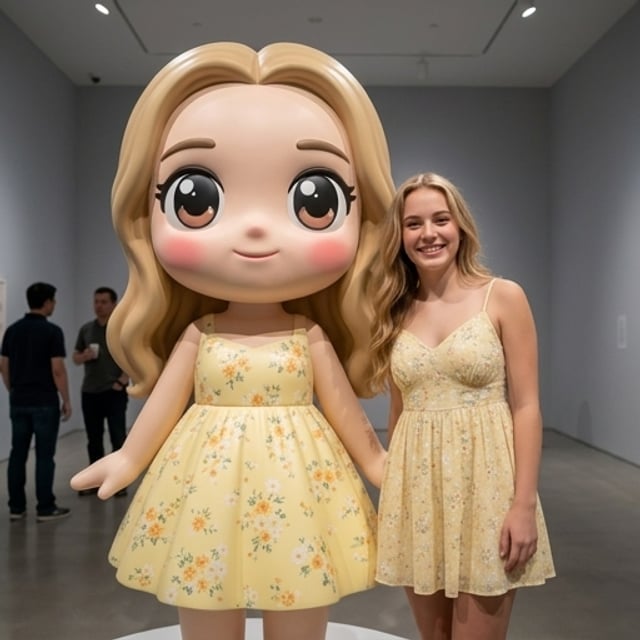

As seen in the gallery, the templates range from the sophisticated to the whimsical. You can be a masterpiece hanging in a modern art gallery, or you can shrink yourself down into a miniature doll for a fancy tea party. Each template is curated to ensure the lighting and shadows match perfectly, creating a high-quality output that looks like it was created by a professional studio.
Create Your Twin in Seconds
A zero-skill guide to professional AI portraits.
The No-Editing Approach
Forget about sliders, brushes, and complicated layers. CARA is designed for creators who want results, not a learning curve. By leveraging the power of Google's Nano Banana 2, the app processes your request in the cloud, giving you a masterpiece without draining your phone's battery or testing your patience.
Choose Your Template
Open CARA and browse the extensive library of style templates. From vintage film to futuristic anime, pick the one that sparks your creativity.
Upload Your Selfie
Pick a clear photo from your camera roll. For best results, choose a well-lit photo where your face is clearly visible.
Generate & Share
Tap the generate button. In seconds, the AI will produce your stylized portrait. Save it to your phone or share it directly to Instagram or TikTok!
Pro Tip: Try the seasonal templates! CARA updates its library regularly with trending styles, so there's always something new to experiment with for holidays or fashion trends.
Why CARA Stands Out
The ultimate iPhone app for AI creative expression.
While there are many photo apps out there, CARA focuses on high-quality, one-tap results. It's built specifically for iOS users who value their time and want to participate in the latest AI trends without the hassle of manual editing.
🚀 One-Tap Magic
No manual adjustments required. Pick a style, upload a photo, and the AI handles the rest.
💎 High-Quality Output
Generates photorealistic and artistic images that look professionally edited.
📚 Growing Library
Access a constantly updated collection of templates including pop art, vintage, and seasonal themes.
🌐 14+ Languages
Fully localized UI supporting users around the globe on iPhone and iPad.
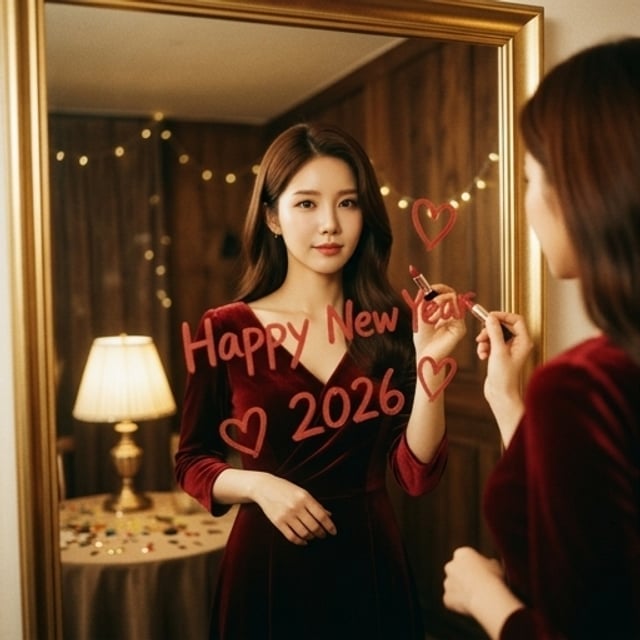
Whether you're celebrating a milestone like New Year's or just want a cool new profile picture, the app provides the tools to make it happen instantly. The AI understands context, lighting, and texture, ensuring that even complex scenes look natural and engaging.
Tips for Perfect Results
Maximize the AI's potential with these simple tricks.
Input Matters
While the AI is incredibly powerful, giving it a great starting point will ensure the final result is spectacular. Here is how to get the most out of every generation credit.
- Lighting is Key: Use photos taken in natural light. Harsh shadows or very dark rooms can make it harder for the AI to capture your unique features.
- Face Clarity: Choose selfies where you are looking relatively toward the camera. Avoid large sunglasses or hats that cover your eyes if you want the AI twin to look just like you.
- Background Choice: While the AI often replaces the background, a clean, simple background in your original photo helps the AI isolate your subject more accurately.
Remember: CARA uses a credit system. You get limited free generations to start, and you can always top up with in-app purchases to keep the creativity flowing!
Frequently Asked Questions
Everything you need to know about CARA.
Is CARA available on Android?
No, CARA is exclusively designed for iOS and is available for iPhone and iPad on the App Store.
Does the app require photo editing skills?
Not at all! CARA is designed for zero manual editing. You simply choose a template and upload your photo; the AI does all the work.
How does the pricing work?
The app is free to download and includes limited free generations. We use a credit-based system for additional photos, which can be purchased within the app.
Can I export my images as PDFs?
Currently, CARA supports high-quality image exports in JPG/PNG formats, which are perfect for social media and camera roll storage. PDF export is not supported.
Are my photos processed on my device?
To ensure the highest quality and fastest speeds using Google's Nano Banana technology, images are processed securely in the cloud.
Can I edit the photos after they are generated?
CARA focuses on one-tap generation. We do not include manual editing tools like brushes or sliders, as our AI is designed to provide a finished product immediately.
Create Your AI Twin Today
Ready to see yourself in a whole new light? Download CARA now and start generating your own creative 'multi-me' portraits.
Download on the App Store