How to Turn Videos into Manga Comic Pages on iPhone: Quick Solution
Discover how mobile AI automatically converts short action and dance clips into multi-panel manga comic layouts on iOS devices.
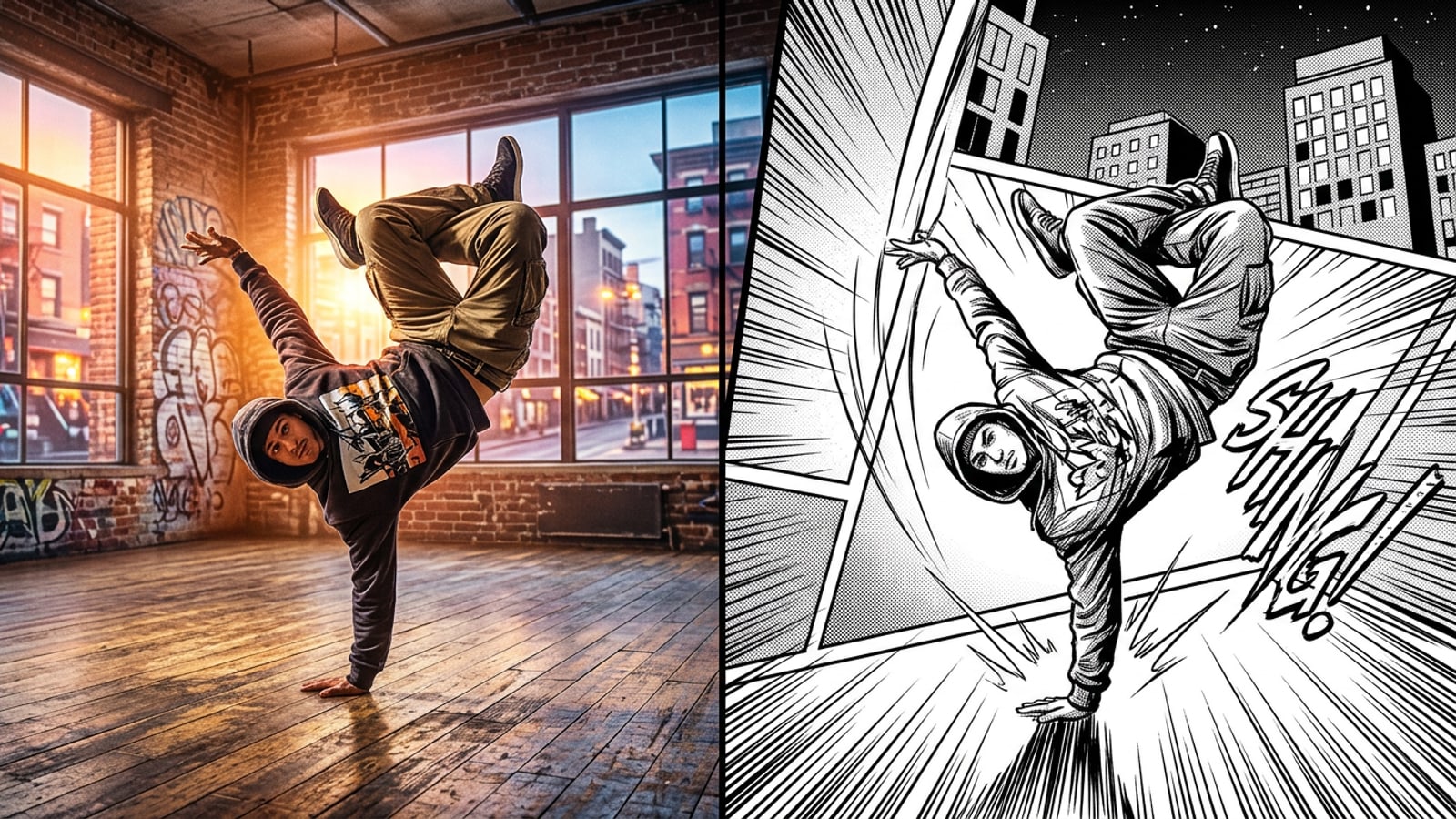
Converting short dance or martial arts clips into dynamic multi-panel manga comic pages on an iPhone is fast and completely automated through CARA's Video to Manga feature. Instead of spending hours tracing frames or configuring complex drawing timelines on desktop software, mobile creators can turn high-energy video clips into stylized comic layouts with just a few taps.[1][2]
The process leverages cloud-based computer vision models to evaluate your video source, identify peak physical moments, and assemble those keyframes into structured comic book spreads. High-contrast ink shading, screentone textures, and dramatic action speed lines are applied automatically across geometric panel borders, giving mobile video clips an authentic Japanese graphic novel aesthetic.[1][3]
Because the app handles layout composition and artistic style transfer in the cloud, you do not need manual illustration skills or professional photo editing experience. Whether you are capturing urban hip-hop freezes, martial arts side kicks, or skateboarding tricks, turning raw footage into sequential comic art is as simple as uploading a clip from your iOS Photos library.[1]
- App Store Availability: CARA is designed for iOS and iPadOS, providing specialized AI creative tools directly on Apple devices.[1]
- Automated Multi-Panel Layouts: Intelligently samples video keyframes and arranges them into balanced comic page compositions.[1]
- Instant Stylization: Applies high-contrast black-and-white ink textures, halftone shading, and radiating speed lines without manual drawing.[1][3]
What Makes an Action Video Work Perfectly in Manga Layouts
Learn how subject lighting contrast, motion rhythm, and keyframe pose pauses directly influence automated AI edge extraction and comic shading.
Automated video-to-manga transformation relies on sophisticated edge extraction and luminance analysis algorithms to translate realistic camera footage into crisp monochrome ink drawings. The visual quality of your final manga page depends heavily on the contrast ratios and lighting setup of your original video clip.[3]
Bright, directional lighting focused directly on the subject creates a sharp visual boundary between the person and their surrounding backdrop. When the algorithm can easily distinguish your outline against the background, it generates cleaner pen-and-ink contours and accurate halftone screentones without producing muddy dark patches.[3]
Physical movement rhythm is equally critical. Video clips that include brief pose pauses at peak extension—such as the apex of an acrobatic jump, the hit-point of a martial arts kick, or a breakdancing freeze—provide clear spatial signals for frame sampling. These peak moments give the AI strong keyframes to highlight as major focal panels in the comic spread.[2][3]
Conversely, clips recorded in dim environments or subjects wearing dark clothing against matching dark backgrounds obscure edge detail. Ensuring crisp separation between the performer and the environment ensures that the background gets converted into expressive speed lines rather than visually confusing shadow noise.[3]
- High Subject Contrast: Position your performer under direct light to establish clean silhouette boundaries for edge detection.[3]
- Peak Extension Posing: Emphasize the final pose of a dance move or athletic trick to yield high-impact focal panels.[2][3]
- Uncluttered Backgrounds: Simple, well-lit backdrops enable the system to generate clean action lines and screentones.[3]
- Optimal Clip Length: Keep source clips concise so the keyframe selection algorithm can easily pinpoint the core narrative arc.[1][3]
Step-by-Step: Converting Your Video into Manga Comics with CARA on iOS
Follow this practical step-by-step workflow to select, process, and render your action videos into multi-panel manga spreads on iPhone.
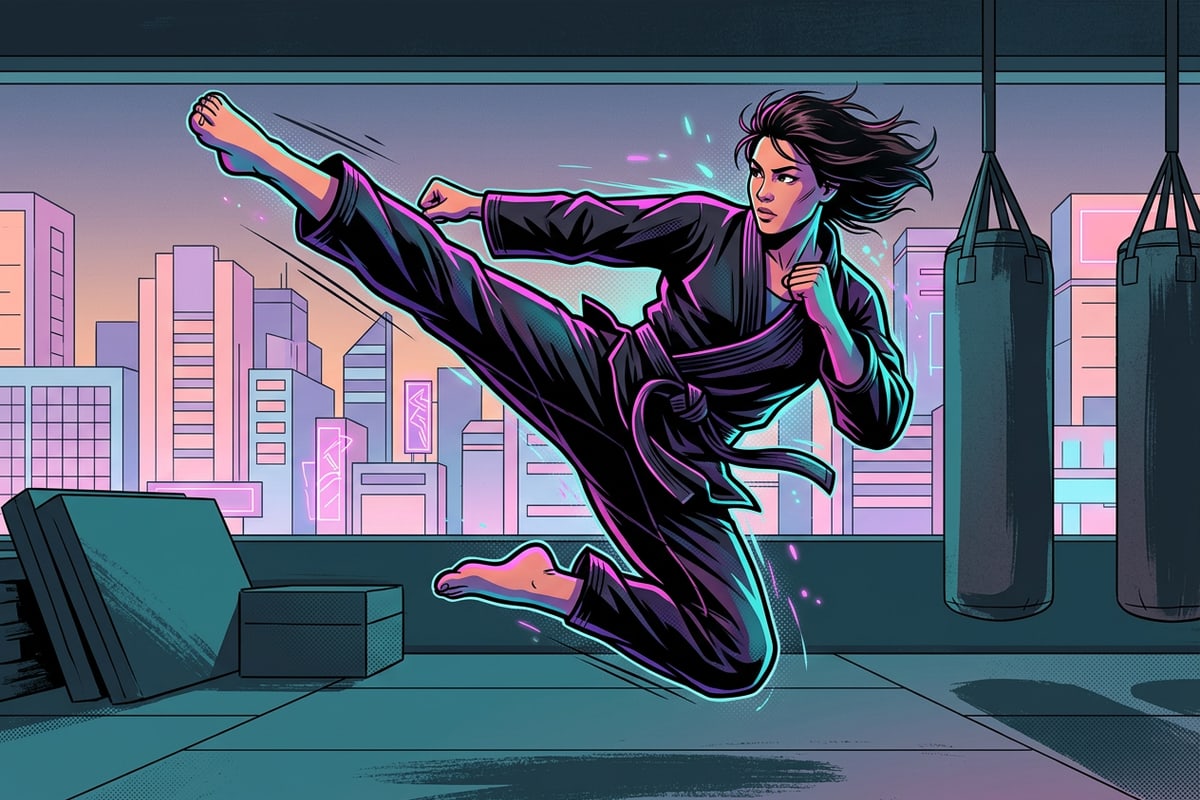
Generating a multi-panel manga page from a video clip requires only a few straightforward interactions inside the CARA app interface on iOS. The intuitive workflow eliminates technical friction, allowing creators to go from raw camera roll clip to finished graphic page in under a minute.[1]
Because image processing occurs on cloud servers, the AI evaluates the spatial variation across video frames during generation. Each run evaluates frame transitions to build a unique comic panel structure that fits the tempo of your movement.[1][3]
Once rendered, you can examine how the key moments were mapped across primary and secondary panels before saving or sharing your creation across social channels.[1]
- 1. Download and Launch CARA on iOS
Open the Apple App Store on your iPhone or iPad, search for CARA, and download the app. Open the app to access the main creative studio workspace.[1]
- 2. Select the Video to Manga Feature
Locate and tap the Video to Manga feature card in the app workspace to open the dedicated video conversion tool.[1]
- 3. Import Your Action Video Clip
Browse your iOS Photos library and select a high-contrast short clip featuring clear physical movement, such as dance, sports, or martial arts.[1]
- 5. Save Your Manga Comic Spread
Review the rendered multi-panel page. If you are satisfied with the panel composition and action speed lines, save the output image directly to your iPhone camera roll.[1]
Understanding Action Keyframing, Halftone Shading, and Speed Lines
Explore how manga visual storytelling techniques use velocity vectors and motion lines to convey direction, physical energy, and momentum.
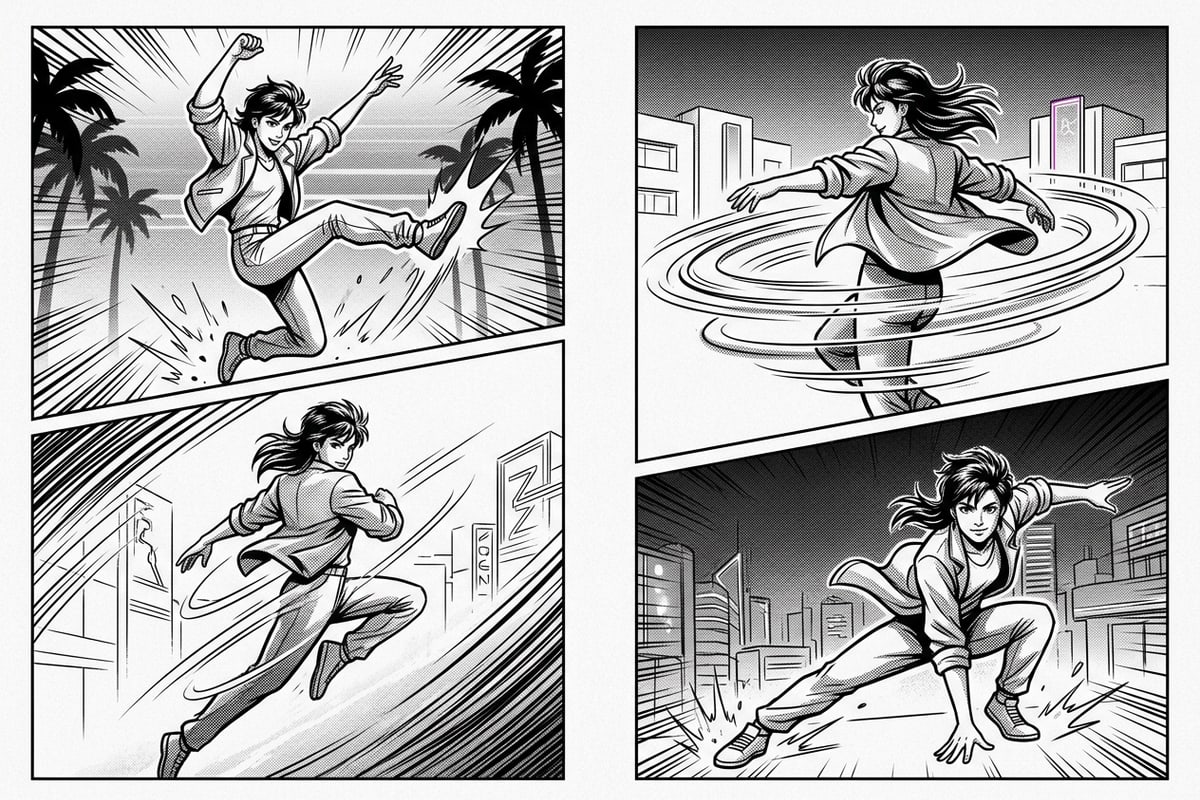
In traditional Japanese manga creation, artists rely on specific visual conventions to translate continuous real-world movement into static comic panels. Elements like radiating speed lines, directional motion blur, and halftone screentones communicate force, speed, and dramatic impact across still pages.[2]
CARA's Video to Manga feature replicates these classical storytelling principles programmatically. By analyzing directional velocity vectors across sequential video frames, the AI identifies movement trajectories and automatically generates radiating background lines aligned with your body's motion paths.[1][2][3]
Halftone screentoning replaces traditional photographic shadows with fine dot patterns and cross-hatching textures. This halftone shading preserves depth and form while giving the output the distinct ink-and-paper aesthetic characteristic of printed comic books.[3]
Furthermore, the automated panel layout establishes a natural reading flow. By organizing keyframes into asymmetrical geometric borders, the eye moves fluidly from the setup move to the apex action, creating visual momentum across the entire spread.[1][2]
- Directional Speed Lines: Radiating lines emphasize movement trajectories and highlight physical impact points.[2]
- Halftone Screentones: Converts photographic gradients into stylized dot matrices and hatching textures.[3]
- Sequential Layout Flow: Arranges key action moments into structured comic panels that guide reader progression.[1][2]
AI Rendering Expectations, Variations, and Credit Management
Learn how to manage generation credits, navigate non-deterministic AI outputs, and set realistic creative expectations on iOS.
CARA is available as a free download on the Apple App Store, granting users initial free generations to test creative features. For ongoing usage, CARA operates on a credit and points system, allowing creators to purchase additional generation packs via in-app purchases as needed.[1]
Because generative AI image processing relies on non-deterministic cloud models, processing the exact same video clip twice may produce distinct keyframe choices, panel distributions, and line densities. Far from being a drawback, this variability allows creators to re-run generations until they achieve their ideal panel arrangement.[1]
It is important to keep tool scope in perspective. CARA's Video to Manga feature is an automated comic page generator engineered specifically to produce static multi-panel graphic spreads. It is not a manual video timeline editor for multi-track editing, nor does it provide manual brush drawing or text overlay tools in current versions.[1]
- Credit Point Model: CARA is free to download with limited trial generations; additional renders use in-app credits.[1]
- Non-Deterministic Model: Re-running a video clip generates fresh panel layouts and stylistic ink variations.[1]
- Automated Page Generator: Tailored specifically for multi-panel static manga rendering rather than manual timeline video editing.[1]
Advanced Video Preparation: Optimizing Skateboard, Dance, and Martial Arts Clips
Tailor your filming and keyframe selection techniques specifically for high-energy discipline clips like dance, skateboarding, and martial arts.
Different athletic and creative disciplines offer unique visual opportunities when converted into manga panel layouts. Tailoring your camera setup and movement execution to your specific discipline significantly enhances the final graphic presentation.[2][3]
For dance videos—particularly hip-hop, breakdancing, and pop-and-lock routines—focus on freeze poses and sharp isolation moves. A clean handstand freeze or tutting frame gives the frame sampler a clear, stationary subject around which to build dramatic speed lines and bold ink shadows.[2][3]
For skateboarding and martial arts footage, side-profile angle captures recorded in 60fps high frame rate work best. Filming a kickflip at its apex altitude or a roundhouse kick at full extension ensures the video contains clear, unblurred action frames that translate into sharp, professional comic book panels.[2][3]
- Dance Freeze Frames: Hold final poses for a split second to guarantee the frame sampler captures the pose clearly.[2][3]
- High Frame Rate Filming: Shoot in 1080p or 4K at 60fps on your iPhone to reduce motion blur on fast-moving limbs.[3]
- Side-Profile Angles: Capture physical jumps, kicks, and tricks from side angles to emphasize movement trajectories.[2]