 Scan to Download
Magic Ad Swapswith CARA AI Agent
Turn high-fashion billboards into sporty streetwear ads with just a text prompt. No editing skills required.
The Future of Photo Editing is Conversational
Meet CARA's AI Agent: Your personal digital artist.
Speak Your Vision into Reality
Have you ever looked at a photo and thought, "I wish that sign said something else," or "What if this vibe was completely different?" Traditionally, making those changes required professional Photoshop skills, layers, masking, and hours of work. But with the CARA app on iOS, the game has changed entirely. By leveraging advanced models like Google's Nano Banana 2, CARA introduces an AI Agent that understands your intent through simple conversation.
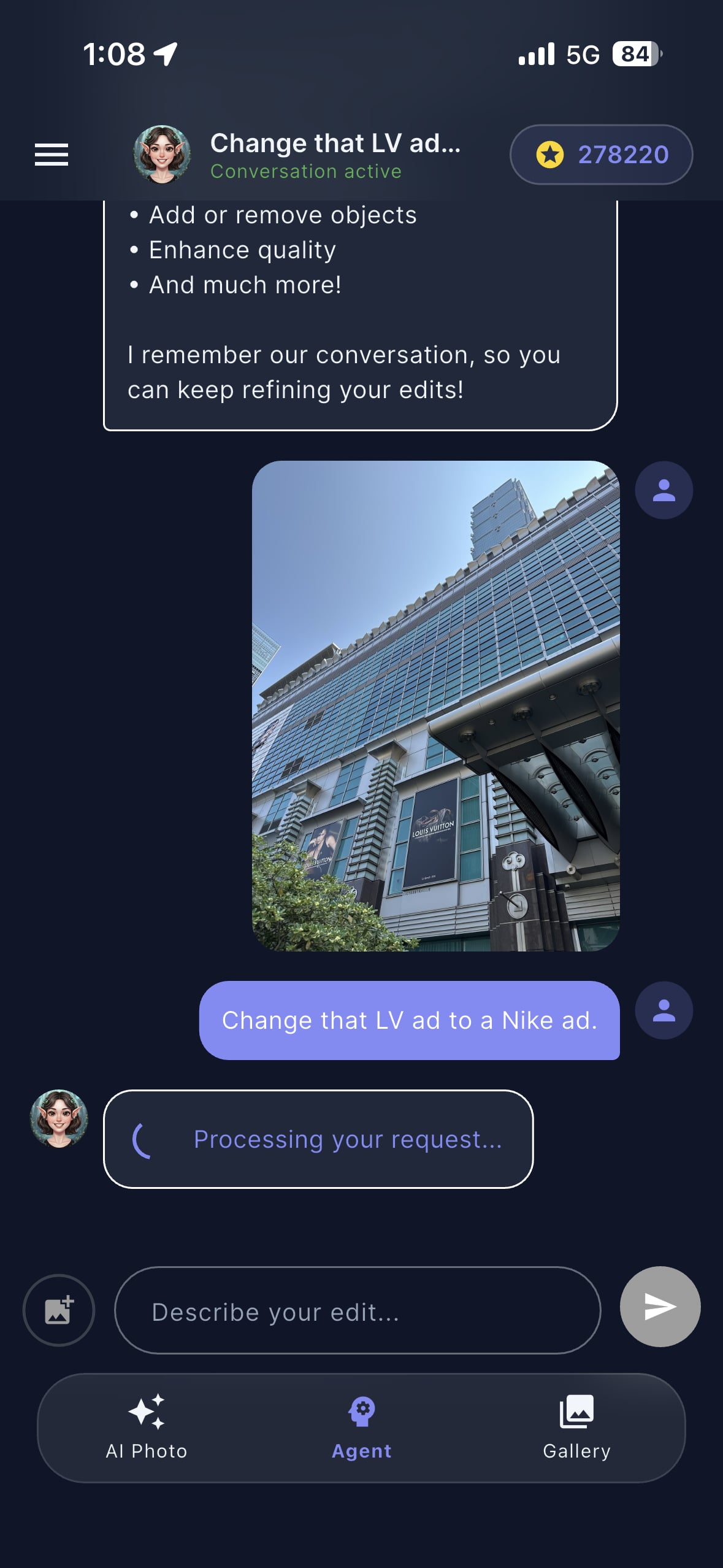
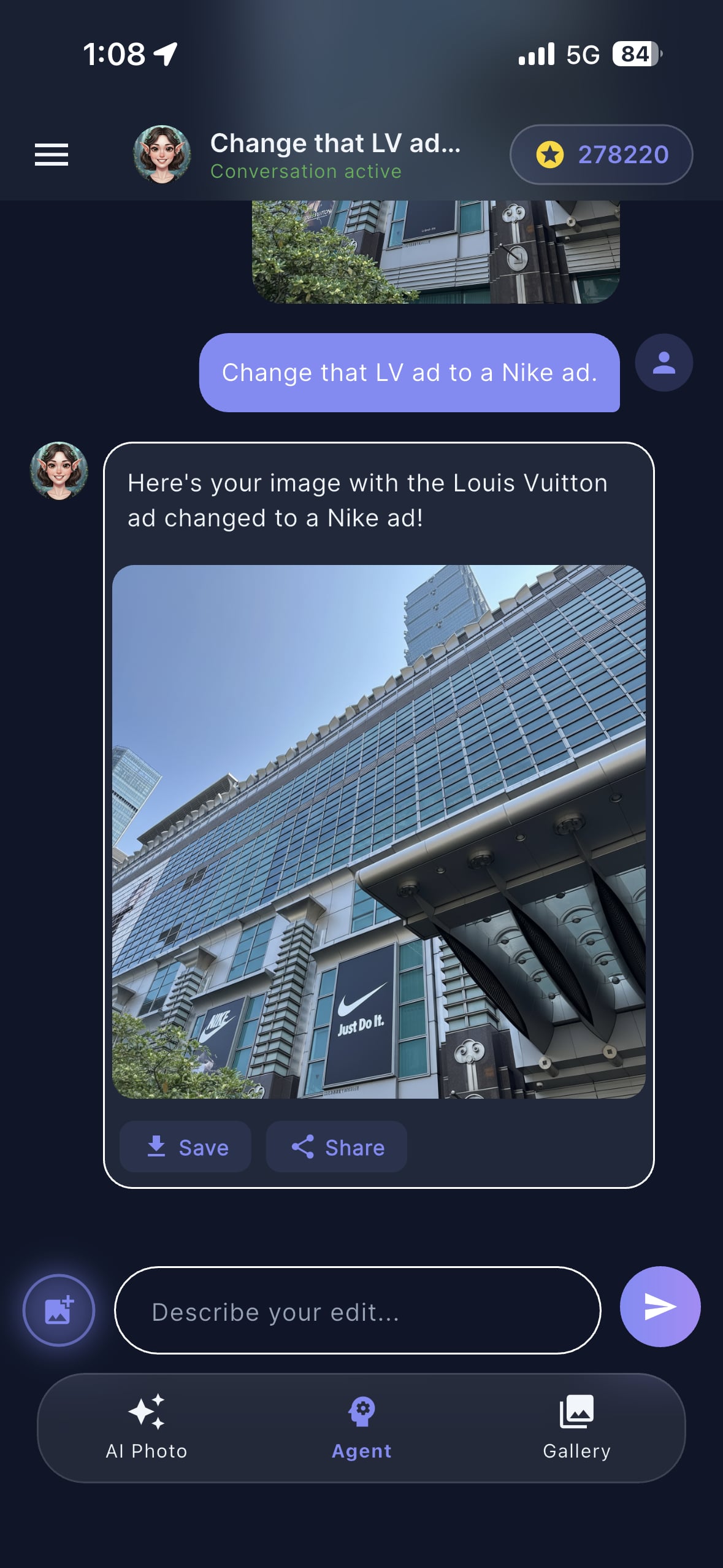
In this article, we’re showcasing a mind-blowing example: taking a real-world photo of the iconic Taipei 101 mall area, identifying a luxury Louis Vuitton advertisement, and instructing the AI to swap it for a Nike ad. The result isn't just a sticker placed on top; it's a context-aware transformation that maintains lighting, perspective, and architectural integrity.
Why it matters: CARA removes the technical barrier to creativity. Whether you're a social media influencer or just someone who loves cool visuals, you can now perform complex 'In-painting' and object replacement tasks using natural language.
From Luxury to Sportswear
See the stunning before and after results.
Seamless Integration
The AI Agent doesn't just replace the pixels; it understands the geometry of the building. In our example, the Louis Vuitton banner is tucked under a glass awning and angled upward. CARA's AI calculates these angles to ensure the new Nike "Just Do It" branding fits perfectly within the environment.
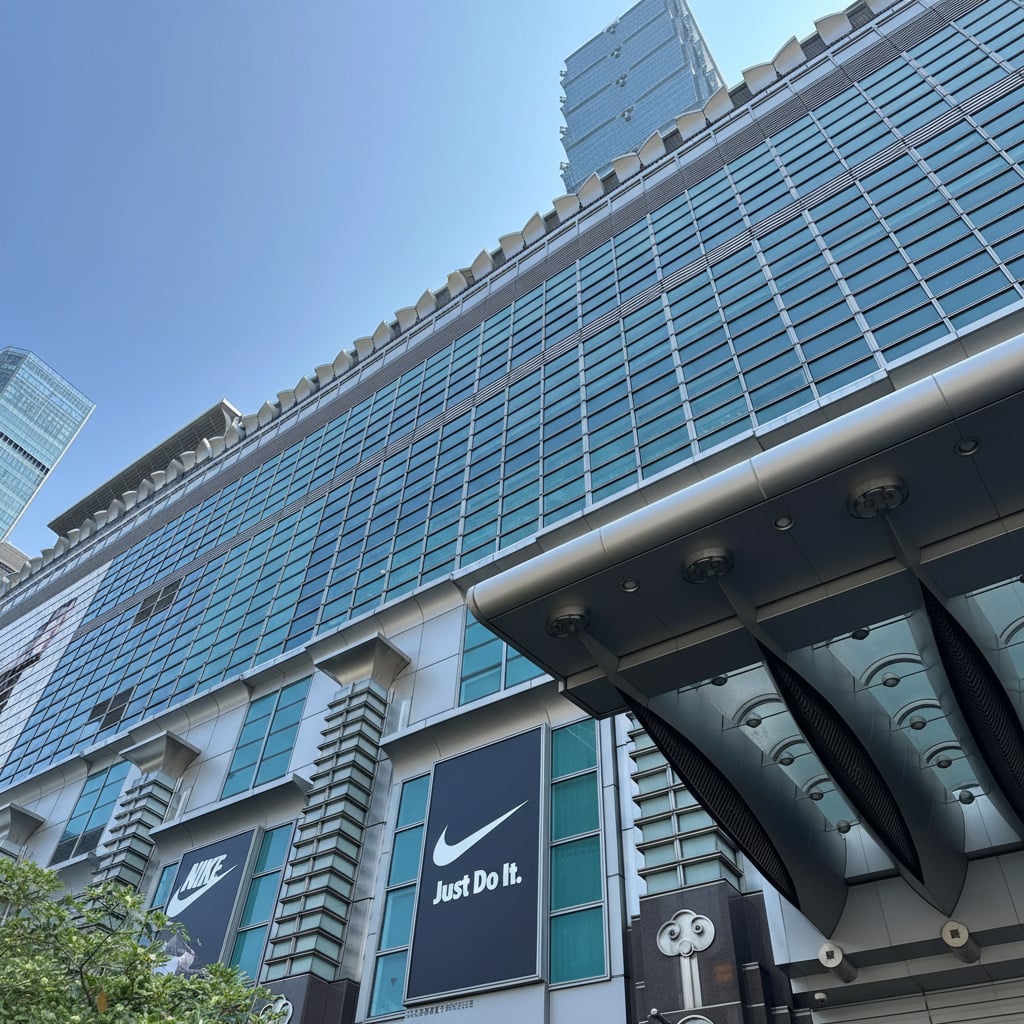
Notice how the texture of the banner remains consistent with the rest of the building's facade. This high-quality output is what makes CARA stand out in a crowded market of AI photo apps. It’s not just about adding filters; it’s about intelligent reconstruction of the scene.
How to Use the CARA AI Agent
Three simple steps to professional-level edits.
Upload Your Photo
Open the CARA app on your iPhone and enter the AI Agent chat mode. Upload the image you want to modify—it could be a landscape, a street photo, or a portrait.
Describe Your Edit
Simply type what you want to change. In our case, we typed: "Change that LV ad to a Nike ad." The AI analyzes the image to find the mentioned object.
Save and Share
Wait a few seconds for the cloud AI to process. Review the generated image and tap 'Save' to download it to your camera roll or share it directly to Instagram.
Powered by Next-Gen AI
Discover what's under the hood of CARA.
🍌 Nano Banana Pro
Utilizes the latest AI models for lightning-fast and ultra-realistic image synthesis.
💬 Natural Language
No sliders or complex buttons. Talk to the app like you would a human editor.
🏗️ Context Aware
The AI understands depth, lighting, and shadows for seamless object replacement.
⚡ Cloud Speed
Complex edits happen in seconds on our powerful servers, keeping your phone cool.
CARA is designed for the modern user who values efficiency. By focusing on template-based generation and conversational AI, it eliminates the learning curve associated with apps like Lightroom or Photoshop. It's the ultimate tool for generating AI-styled portraits and creative edits on the go.
Best Practices for AI Edits
Get the most out of your CARA generations.
Maximizing Result Quality
While the AI is incredibly powerful, providing clear photos and concise instructions will always yield the best results. Here are a few tips to master the CARA AI Agent:
- Use High-Resolution Originals: The better the input, the more detail the AI has to work with for the final output.
- Be Specific: Instead of saying "Change the sign," try "Change the blue sign to a neon pink sign that says 'Open'."
- Check Lighting: Photos with clear, consistent lighting allow the AI to match shadows more accurately.
Remember: CARA is exclusively available for iOS (iPhone & iPad). It's optimized to give you the best experience on Apple's ecosystem.
Frequently Asked Questions
Everything you need to know about CARA.
Is CARA available on Android?
Currently, CARA is exclusively available on the Apple App Store for iPhone and iPad users.
Does it cost money to use?
CARA is free to download and includes limited free generations. You can purchase credits or points for additional high-quality AI edits.
Can I add text overlays manually?
No, CARA is an AI-driven tool focused on generation and intelligent editing. It does not feature manual text overlay or typography tools.
Can I edit videos with CARA?
CARA is focused on high-quality AI photo generation and does not support video editing at this time.
How fast is the generation process?
Most AI generations are completed within a few seconds, depending on your internet connection and server load.
Is there a web version?
No, CARA is a mobile-first experience designed specifically for iOS devices.
Try the AI Magic Today!
Ready to swap logos, change styles, and generate stunning AI portraits? Download CARA now and start creating.
Download on the App Store