 Scan to Download
Step Into the LimelightWith CARA AI Portraits
Transform your everyday selfies into stunning press photos, K-pop stage shots, and high-fashion editorials using the power of Google's Nano Banana 2.
What You'll Learn
Go from selfie to superstar in under 60 seconds
Master the Art of the AI Portrait
Have you ever wondered what you would look like as a global pop sensation, a mysterious actor in a noir film, or a top model on the cover of a fashion magazine? In this guide, we will show you exactly how to achieve these professional-grade looks using CARA, the premier AI-powered photo creation app for iPhone. We won't just talk about it; we'll provide a hands-on walkthrough of the process.
By the end of this tutorial, you will be able to navigate the CARA template library to find the perfect cinematic or musical aesthetic, understand how to pick the best source photos for the AI, and generate results that look like they were shot by a professional photographer. No complex sliders, no manual retouching—just pure AI magic.
The Core Benefit: You don't need any photo editing skills. CARA's integration of Google's Nano Banana Pro technology does all the heavy lifting, ensuring lighting, textures, and facial features are blended perfectly with the chosen template style.
Complete Step-by-Step Guide
How to use CARA's celebrity templates
Download CARA from the App Store
Search for 'CARA' on your iPhone or iPad and install the app. It's exclusively available for iOS users.
Explore the Template Library
Open the app and browse through categories like 'Pop Star', 'Cinema', and 'Fashion Editorial'.
Select Your Aesthetic
Choose a template that matches the vibe you want—whether it's a flashing paparazzi shot or a moody car interior scene.
Prepare Your Selfie
Pick a clear photo of yourself where your face is well-lit and unobstructed. No need for professional lighting!
Upload to CARA
Tap the 'Upload' button within your chosen template and select your photo from the camera roll.
One-Tap Generation
Hit the 'Generate' button. CARA uses cloud-based AI to process your image in seconds.
Review Your Result
Watch as the AI seamlessly blends your features into the high-quality template environment.
Save to Camera Roll
If you love the result, tap the save icon to download the high-resolution JPG to your phone.
Share Your Fame
Use the direct share feature to post your new celebrity persona to Instagram, TikTok, or Twitter.
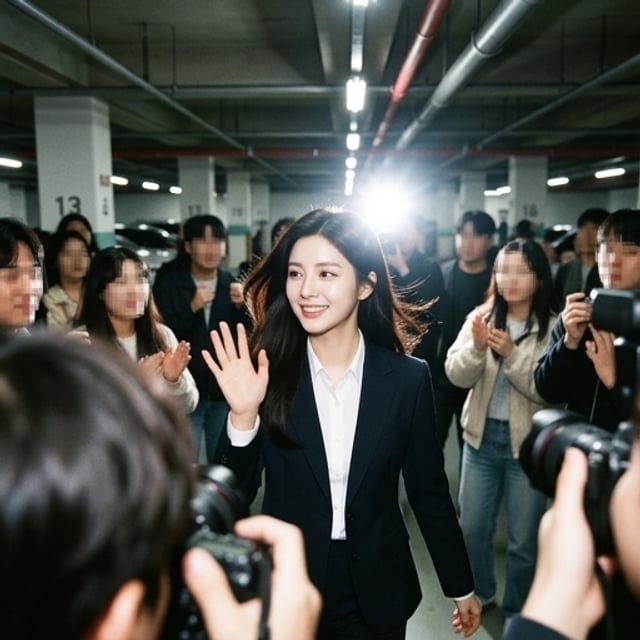
The Results Gallery
Stunning transformations generated by CARA
Below are examples of how CARA handles different 'Star' aesthetics. From the high-energy vibe of a stage performance to the quiet intensity of a movie scene, the AI maintains facial consistency while completely transforming the environment and attire.
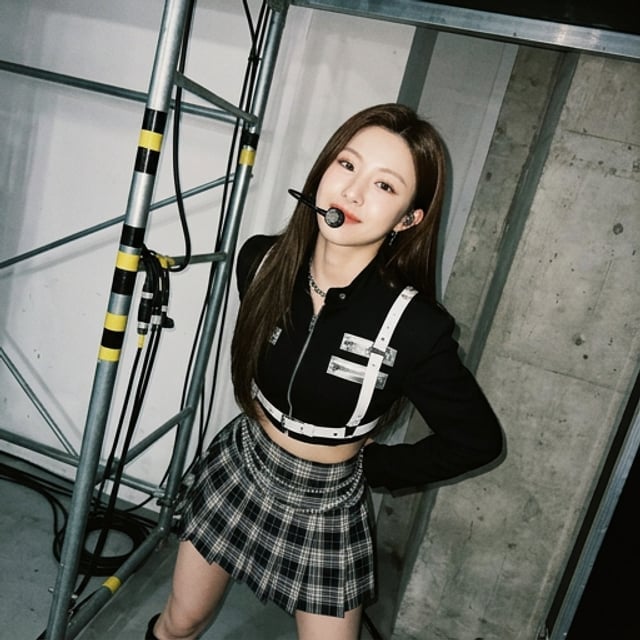
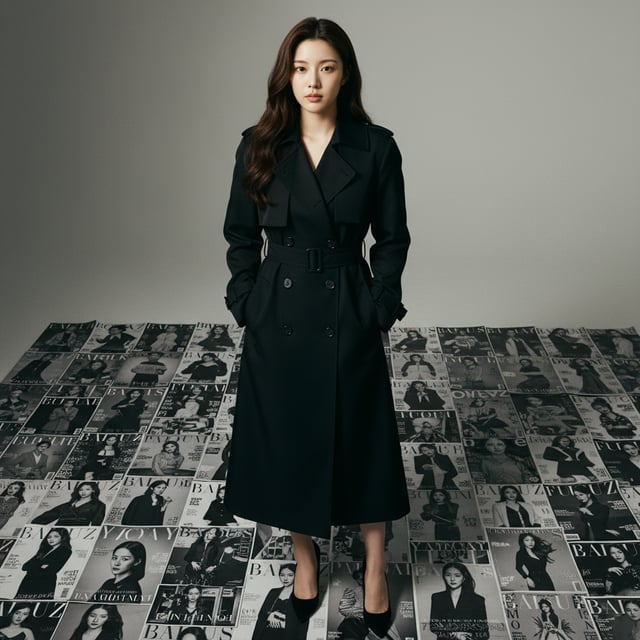
Note the attention to detail in the lighting and the integration of costume elements. The 'K-Pop Stage' template adds a headset and intricate outfit details that look completely natural, while the 'Editorial' template creates a sophisticated background context.
Understanding the Magic
How Nano Banana 2 powers your portraits
Beyond Simple Filters
Unlike standard photo filters that just overlay a color grade, CARA utilizes Google's Nano Banana 2 & Nano Banana Pro algorithms. This isn't just about changing colors; it's about structural AI generation. When you upload a selfie, the AI analyzes the geometric map of your face and reconstructs it within the three-dimensional space of the template.
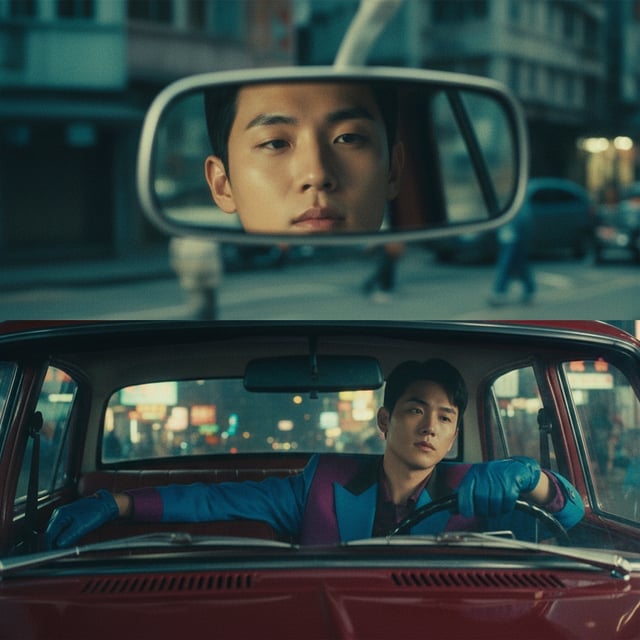
High-Quality AI Output: The result is a photorealistic portrait that respects shadows, depth of field, and textures. This is why the AI can handle complex lighting, like the neon glow inside a vintage car or the harsh flash of a paparazzi's camera.
Cloud-Based Speed
By offloading the heavy computational work to the cloud, CARA ensures that even older iPhones can generate these complex images in seconds. This allows for a smooth, lag-free experience where the focus is entirely on your creativity, not your hardware's processing power.
Troubleshooting & Common Issues
Get the best results every time
📸 Poor Lighting
If your result looks grainy or distorted, try uploading a photo taken in natural daylight. Clearer input equals a sharper AI output.
🕶️ Obscured Face
Sunglasses or hair covering your eyes can confuse the AI mapping. Use a selfie with a clear, front-facing view for the best likeness.
📶 Connection Errors
Since CARA uses fast cloud processing, ensure you have a stable Wi-Fi or 5G connection to avoid generation timeouts.
🎭 Unnatural Expressions
Neutral or slight smiling expressions work best. Extreme facial contortions might lead to unusual blending with the template.
Going Further
Advanced tips for the ultimate celebrity look
✨ Angle Matching
Look at the template first. If the character is looking to the side, upload a selfie with a similar head tilt for a more realistic blend.
🎨 Style Variation
Don't stick to one look! CARA's library is updated regularly. Try the 'Vintage Pop' or 'Noir Film' templates to see different facets of your AI persona.
💎 Credit Management
While the app is free to download, using the daily free credits wisely or purchasing credit packs ensures you always have access to the latest Pro templates.
👥 Community Trends
Check social media hashtags for CARA to see which templates are trending and get inspiration for your next generation.
Frequently Asked Questions
Everything you need to know about CARA
Is CARA available on Android?
Currently, CARA is an iOS exclusive app available for iPhone and iPad on the App Store.
Can I edit the photos after generation?
CARA focuses on 'One-Tap Generation'. There are no manual sliders or brush tools; the AI handles all editing for you based on the template.
Can I export my photos as a PDF?
No, the app supports saving images as high-quality JPG or PNG files directly to your camera roll.
What is Nano Banana 2?
It is the advanced AI model from Google that CARA uses to ensure high-quality, photorealistic portrait generation.
Does the app support video?
CARA is currently focused on high-quality static photo generation and does not offer video editing or generation features.
Is the app free to use?
Yes, CARA is free to download and includes limited free generations. You can purchase more credits within the app if needed.
Ready for Your Close-Up?
Download CARA on the App Store today and start creating professional AI portraits with just one tap. Join thousands of users transforming their selfies into art!
Get CARA for iPhone