
 Scan to Download
AI Thanksgiving Photo EffectsTransform Your Photos with Festive Autumn Magic
Create stunning Thanksgiving-themed photos with AI! ChatAt's Image Genie Gugu adds warm autumn colors, harvest elements, and festive atmosphere to your photos in just 10 seconds. No watermark, completely free to try.
AI-Powered Thanksgiving Photo Editor
Transform ordinary photos into festive Thanksgiving memories with one click
Thanksgiving is all about gratitude, family, and beautiful moments. With ChatAt Image Genie Gugu's AI Thanksgiving photo effects, you can instantly transform your photos with warm autumn colors, falling leaves, harvest pumpkins, and cozy festive atmospheres. Simply type "/" and select from preset Thanksgiving commands to create stunning holiday images in just 10 seconds!
🍂 Why Use AI for Thanksgiving Photos?
- Warm Autumn Vibes: Add golden hour lighting, rich orange and brown tones, and harvest season ambiance
- Festive Elements: Automatically add pumpkins, autumn leaves, cornucopias, and other Thanksgiving decorations
- Perfect for All Photos: Family portraits, food photography, pet photos, and outdoor scenery
- Social Media Ready: Create eye-catching Thanksgiving posts for Instagram, Facebook, and Pinterest
- No Photo Editing Skills Needed: AI handles all the complex editing automatically
- High-Quality Output: Professional-grade results suitable for printing or digital sharing
💡 ChatAt Gugu Advantage: Unlike traditional photo editors requiring multiple steps, Gugu offers multiple Thanksgiving preset effects. Just type "/" and choose your favorite style. Supports high-resolution output and is completely free to try!
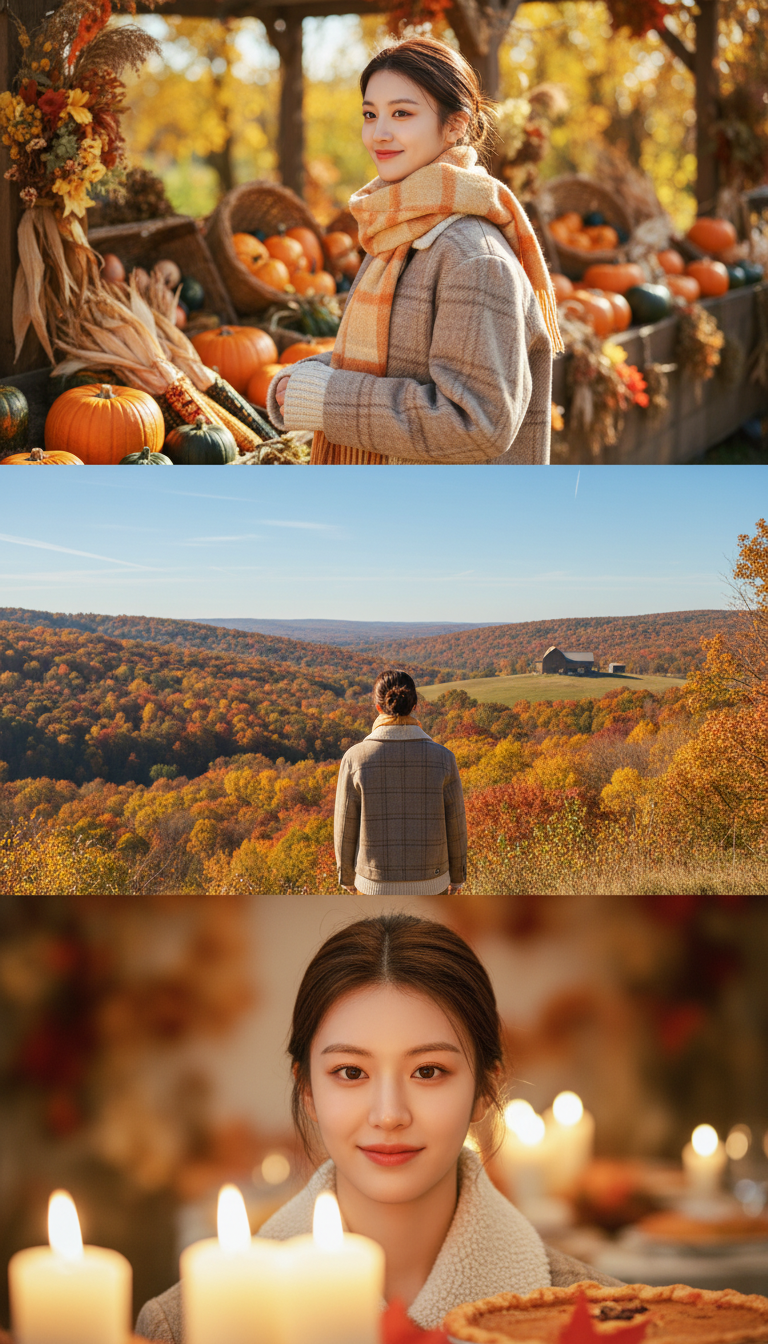
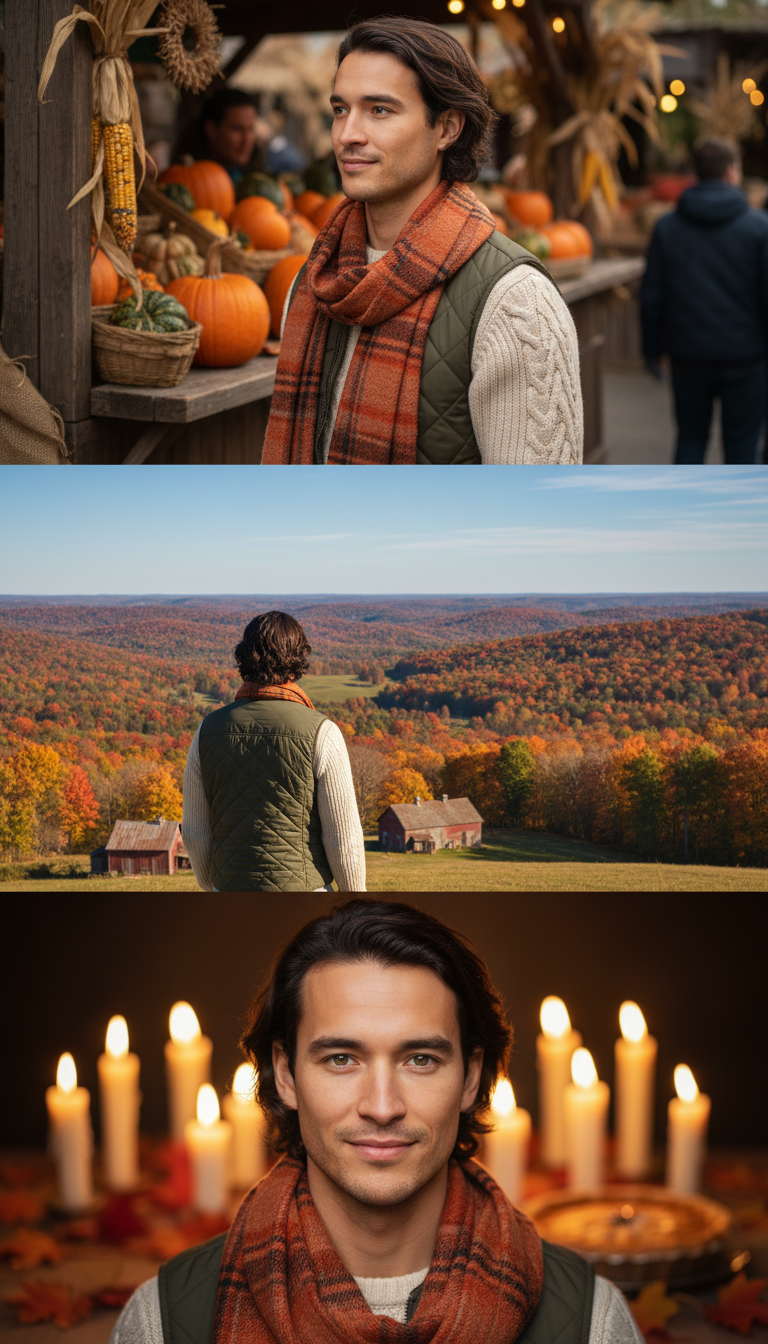
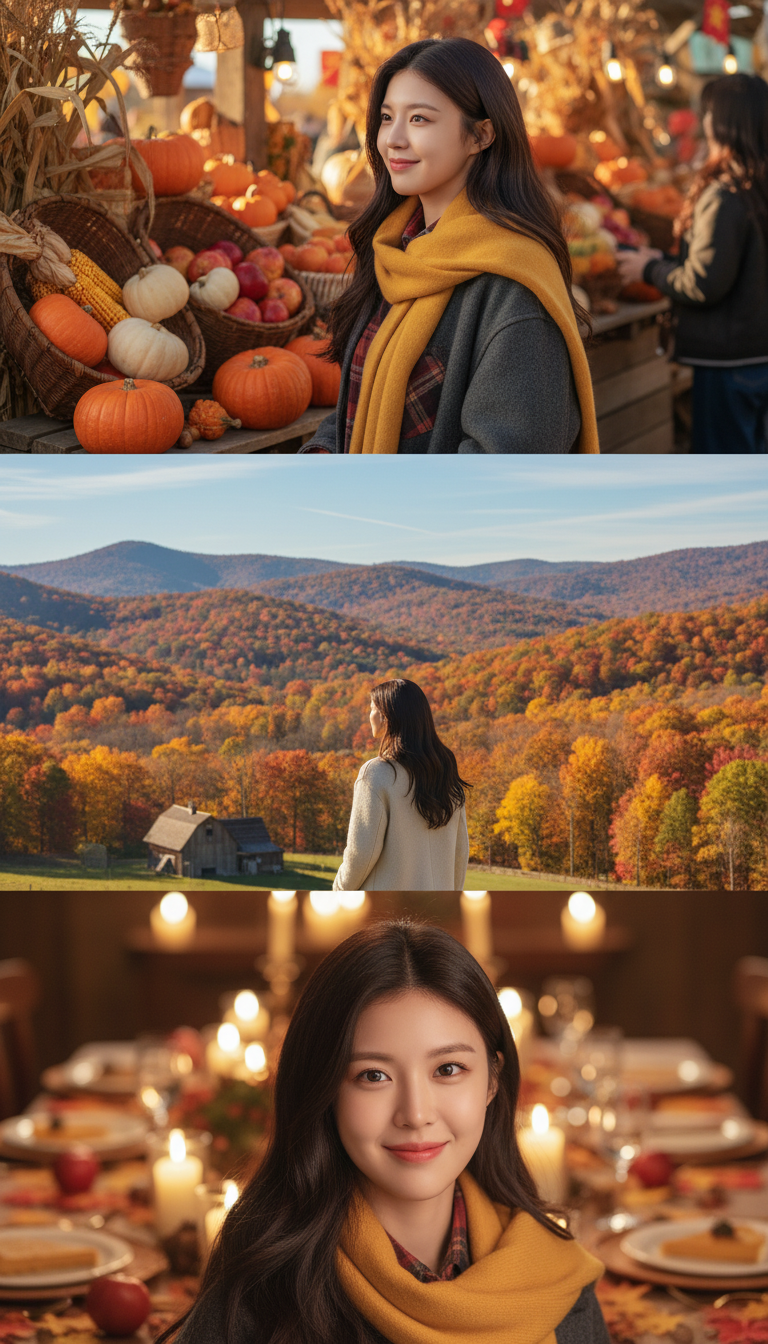
Amazing AI Thanksgiving Photo Examples
From everyday photos to festive masterpieces in seconds
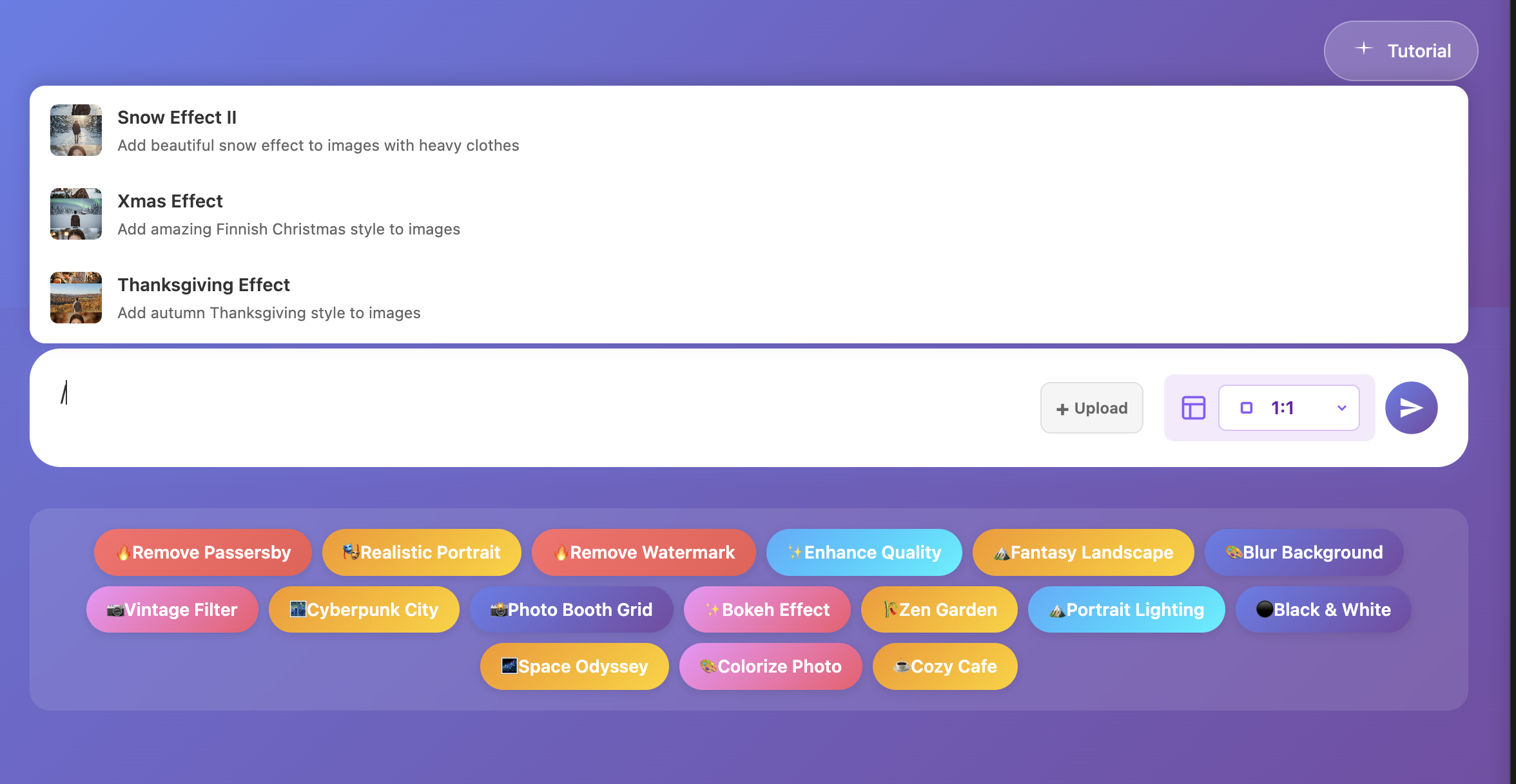
▲ Type "/" to access all Thanksgiving preset effects
Create Thanksgiving AI Photos in 3 Steps
No editing experience required - just follow these easy steps
Access ChatAt Agent Page
Click "Try Free Now" to enter Image Genie Gugu, or select "Image Genie" from the homepage. No app download needed - use directly in your browser for free.
Upload Your Photo
Choose a photo - portraits, family gatherings, food, or landscapes work great. Click upload and select your image. Supports JPG and PNG formats. Best results with photos at least 800x800 pixels.
Select Thanksgiving Effect
Type "/" in the chat box to see preset commands. Choose your favorite Thanksgiving effect (like "Autumn Harvest," "Golden Hour Thanksgiving," or "Festive Gathering"), submit, and wait 10 seconds for your beautiful Thanksgiving photo!
⚡ Pro Tips: Different Thanksgiving effects create unique moods!
Autumn Harvest - Rich harvest atmosphere with pumpkins and autumn leaves
Golden Hour Thanksgiving - Warm sunset lighting perfect for family photos
Festive Gathering - Cozy indoor party vibes with decorations
Try them all to find your perfect Thanksgiving photo style!
The Ultimate AI Thanksgiving Photo Editor
More than just filters - professional AI photo transformation
⚡ One-Click Application
Type "/" to see all preset commands. No need to write complex prompts - just select and generate instantly
🎨 30+ Artistic Styles
Beyond Thanksgiving effects, explore cyberpunk, oil painting, anime, vintage film, and many more creative styles
💬 Conversational Editing
Not satisfied? Simply say "make it warmer," "add more pumpkins," or "brighter lighting" - AI adjusts accordingly
🖼️ High-Resolution Output
Supports up to 1536x1536 pixel output, ensuring crisp quality perfect for social sharing or printing
📱 Cross-Platform Support
Works on phones, tablets, and computers. Web-based tool - use anytime, anywhere without installation
🆓 Free Trial Available
Get free credits upon registration to experience full AI photo editing features. No hidden fees
Discover More Holiday & Seasonal AI Effects
ChatAt Gugu offers 30+ preset effect commands for every occasion
🔥 Other Popular Holiday Effects
- Christmas Magic Effect - Add snow, lights, and festive Christmas atmosphere to your photos
- Winter Wonderland - Create beautiful snowy scenes perfect for holiday cards
- Halloween Spooky Style - Dark, mysterious effects for spooky season
- Spring Blossom Effect - Cherry blossoms and spring flowers for Easter or spring photos
- Summer Beach Vibes - Bright, sunny vacation aesthetics
- Autumn Leaves Filter - Beautiful fall foliage year-round
All effects support one-click application - just type "/" to see the complete list. You can also use natural language to describe your desired effect, like "add fall leaves to background" or "make it look vintage." The AI understands and executes your vision intelligently.
🎯 Expert Tip: Want more precise results? Combine multiple commands! For example, apply a Thanksgiving effect first, then say "make the leaves more golden" or "add candlelight glow" to create unique, personalized holiday photos.
Your Thanksgiving AI Photo Questions Answered
Q1: What types of photos work best for Thanksgiving effects?
Almost any photo works! Most popular are family portraits, food photography (turkey dinner, pies), pet photos, and outdoor autumn scenes. Best results come from well-lit photos with clear subjects.
Q2: Can I use summer photos for Thanksgiving effects?
Absolutely! That's the beauty of AI photo editing. Even beach photos from summer can be transformed with warm autumn tones and harvest elements. Of course, photos with fall clothing or outdoor settings will look most natural.
Q3: Can I use generated photos for commercial purposes?
Photos created with ChatAt Gugu are free for personal use and social media sharing. For commercial use (advertising, product sales), we recommend upgrading to our Premium plan for commercial licensing.
Q4: What if I'm not satisfied with the result?
Simply say "regenerate" or "try a different style" in the chat box, and AI will create a new version immediately. You can also specify what to adjust: "too dark," "need more pumpkins," "warmer colors" - the AI learns from your feedback.
Q5: Do I need to download an app?
No download needed! ChatAt Gugu is a web-based AI tool accessible through any browser. Works on phones, tablets, and computers - create Thanksgiving photos anytime, anywhere.
Q6: Are there usage limits for free accounts?
New users receive free credits to try all features. Free accounts have daily credit limits that reset each day. For unlimited use, upgrade to our Premium plan.
Q7: How long does it take to generate a Thanksgiving photo?
Most AI Thanksgiving photo effects generate in 10-15 seconds. Complex requests with multiple adjustments may take slightly longer, but usually complete within 30 seconds.
Q8: Can I create Thanksgiving greeting cards?
Yes! Generate your Thanksgiving AI photo, then ask the AI to "add Happy Thanksgiving text" or "create a greeting card layout." You can customize text, positioning, and styling through conversational commands.
Creative Ways to Use AI Thanksgiving Photos
🎨 Thanksgiving Photo Ideas
Family Gathering Photos
Transform your Thanksgiving family photos with warm, cozy lighting and autumn decorations. Perfect for creating memorable keepsakes and thank-you cards to send to loved ones who couldn't attend.
Food Photography Enhancement
Make your turkey, pies, and side dishes look even more appetizing with AI-enhanced warm tones and festive table settings. Ideal for food bloggers and recipe sharing on social media.
Thanksgiving Social Media Content
Stand out on Instagram, Facebook, and Pinterest with unique AI Thanksgiving photos. Add trending hashtags like #ThanksgivingAI #AIPhotography #HolidayPhotos to boost engagement.
Business & Marketing Materials
Create professional Thanksgiving promotional graphics for your business. AI-generated holiday photos work great for email campaigns, social media ads, and website banners.
Digital Greeting Cards
Design personalized Thanksgiving e-cards by combining your AI-enhanced photos with custom text. Send gratitude messages to clients, colleagues, and friends in style.
🌟 Trending Thanksgiving AI Photo Styles:
• Rustic Farmhouse Aesthetic - Wooden textures, burlap, and vintage elements
• Modern Minimalist Thanksgiving - Clean lines, neutral autumn colors
• Traditional Harvest Theme - Classic pumpkins, cornucopias, wheat bundles
• Cozy Indoor Gathering - Candlelight, warm interiors, intimate atmosphere
• Outdoor Autumn Adventure - Fall foliage, nature scenes, golden hour lighting
Create Your AI Thanksgiving Photos Today
No complex editing skills needed. Upload your photo, type "/", select a Thanksgiving effect, and get stunning results in 10 seconds. Make this Thanksgiving unforgettable!
Start Creating for Free