
 Scan to Download
AI Christmas Photo EffectsCreate Magical Holiday Memories Instantly
Transform your photos into Christmas wonderland with AI! ChatAt's Image Genie Gugu adds snow, twinkling lights, festive decorations, and holiday magic to any photo in just 10 seconds. No watermark, completely free to try.
AI-Powered Christmas Photo Editor
Turn everyday photos into magical Christmas scenes with one click
Christmas is the most magical time of year! With ChatAt Image Genie Gugu's AI Christmas photo effects, you can instantly transform your photos with falling snow, sparkling lights, festive decorations, cozy fireplaces, and holiday cheer. Simply type "/" and select from preset Christmas commands to create stunning holiday images in just 10 seconds!
🎅 Why Use AI for Christmas Photos?
- Winter Wonderland Magic: Add realistic falling snow, frost effects, and dreamy winter atmospheres
- Festive Decorations: Automatically add Christmas trees, lights, ornaments, wreaths, and holiday decor
- Perfect for Every Occasion: Family portraits, pet photos, couples, children, and outdoor scenes
- Social Media Sensation: Create viral-worthy Christmas content for Instagram, TikTok, and Facebook
- No Design Skills Required: AI handles all complex editing - you just choose your style
- Year-Round Christmas: Create Christmas magic even in summer - perfect for holiday planning
💡 ChatAt Gugu Advantage: Unlike traditional photo editors with complicated steps, Gugu offers multiple Christmas preset effects including snow scenes, cozy interiors, outdoor wonderlands, and vintage Christmas styles. Just type "/" and pick your favorite. High-resolution output, completely free to try!
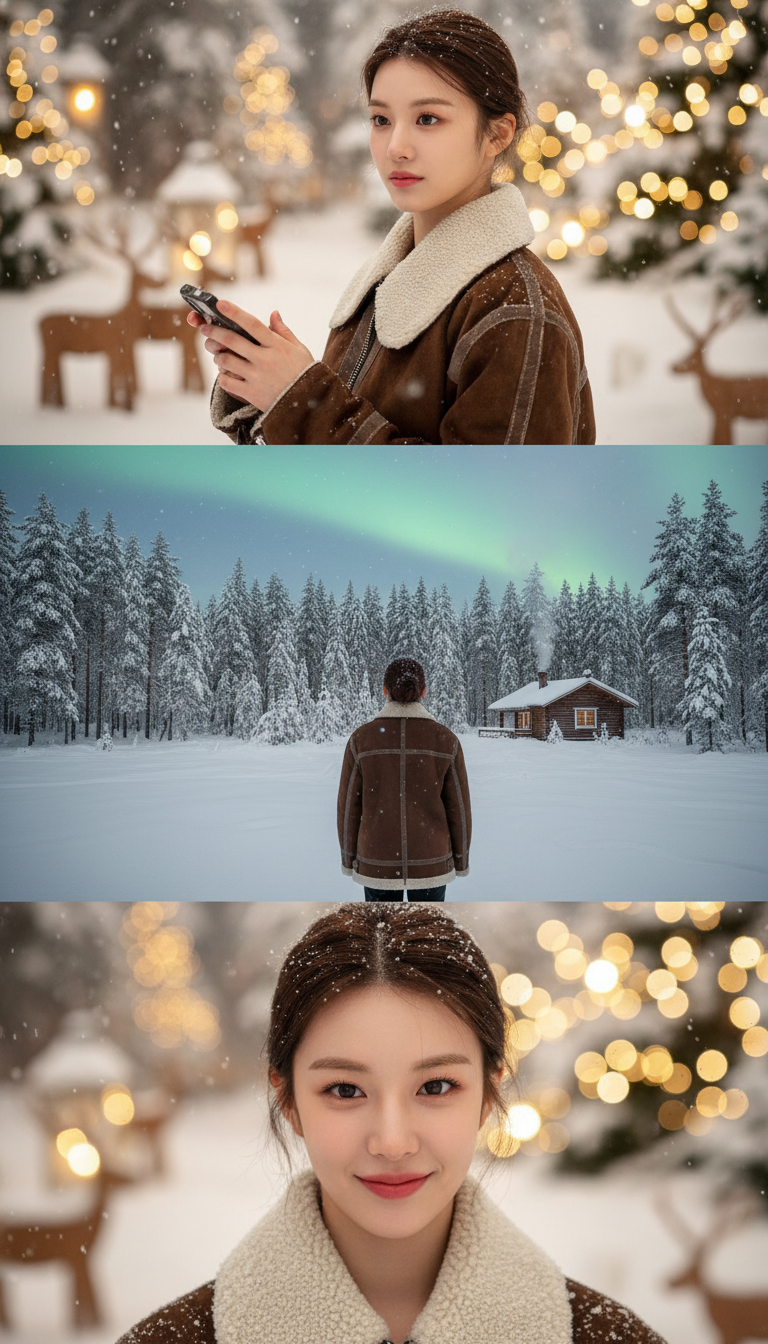
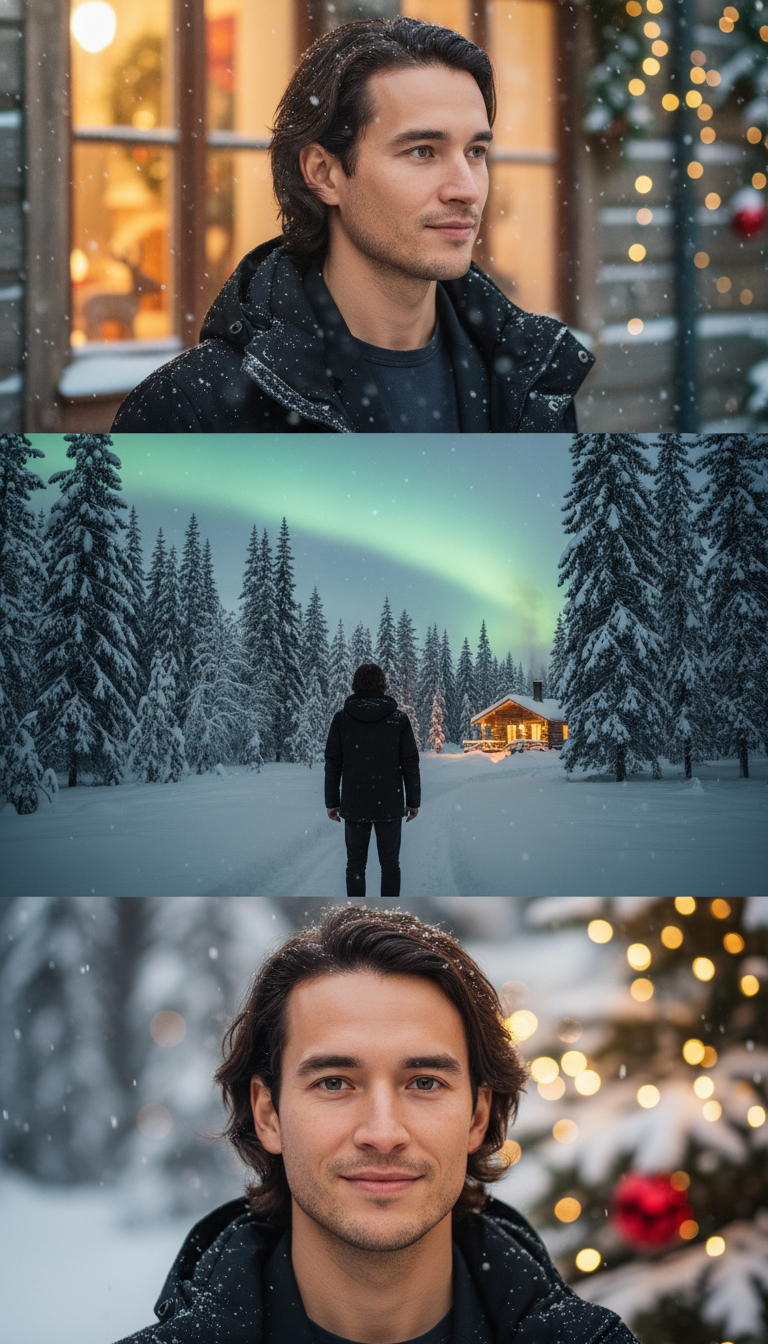
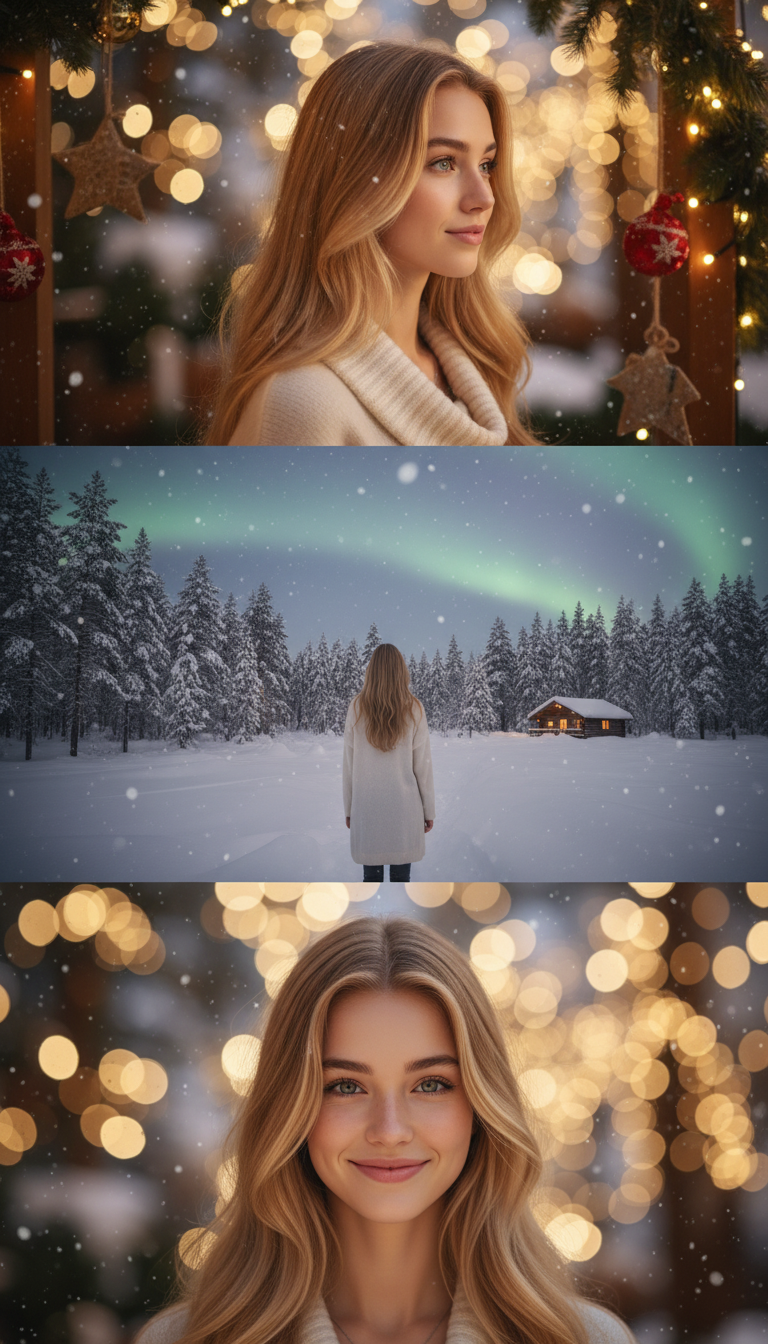
Stunning AI Christmas Photo Examples
From ordinary photos to holiday masterpieces in seconds
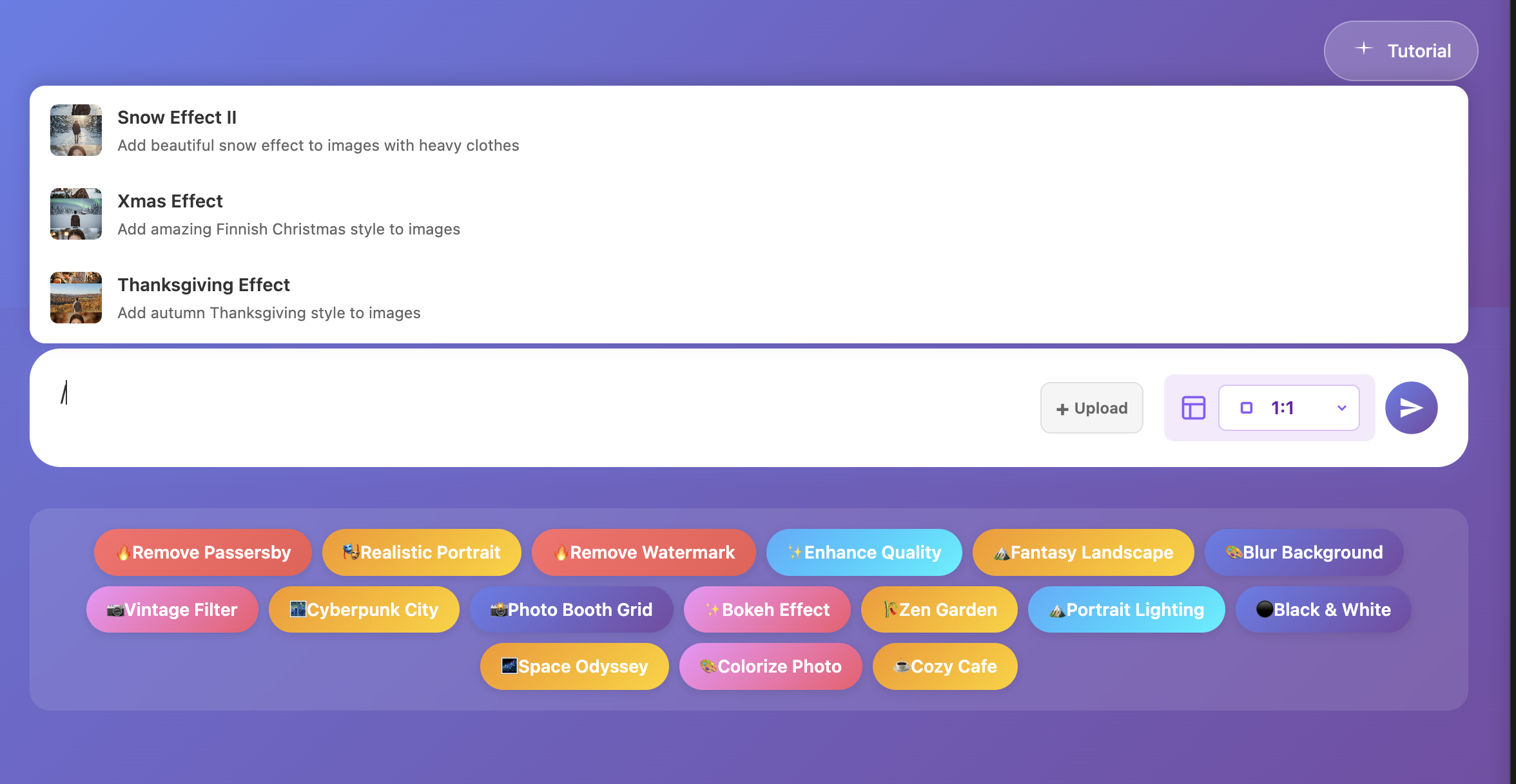
▲ Type "/" to access all Christmas preset effects
Create Christmas AI Photos in 3 Easy Steps
No editing experience needed - just follow along
Access ChatAt Agent Page
Click "Try Free Now" to enter Image Genie Gugu, or select "Image Genie" from the homepage. No app download needed - works directly in your browser for free.
Upload Your Photo
Choose any photo - family portraits, selfies, pet photos, or outdoor scenes. Click upload and select your image. Supports JPG and PNG formats. Best results with photos at least 800x800 pixels and good lighting.
Select Christmas Effect
Type "/" in the chat box to reveal preset commands. Choose your favorite Christmas effect (like "Snow Effect," "Christmas Lights," "Cozy Fireplace," or "Winter Wonderland"), submit, and wait 10 seconds for your magical Christmas photo!
⚡ Pro Tips: Different Christmas effects create unique holiday moods!
Snow Effect - Beautiful falling snow and winter atmosphere - perfect for outdoor scenes
Christmas Lights - Sparkling festive lights and colorful bokeh effects
Cozy Fireplace - Warm indoor setting with fireplace glow - ideal for family photos
Winter Wonderland - Full Christmas scene with decorations, trees, and festive elements
Try different styles to find your perfect Christmas aesthetic!
The Best AI Christmas Photo Editor
Professional AI photo transformation at your fingertips
⚡ One-Click Magic
Type "/" to see all preset commands. No complex prompts needed - just select and generate beautiful Christmas photos instantly
🎨 30+ Artistic Styles
Beyond Christmas effects, explore snow scenes, cyberpunk, oil painting, anime, vintage film, and many more creative styles
💬 Conversational Editing
Not perfect yet? Simply say "add more snow," "brighter lights," or "warmer colors" - AI adjusts in real-time
🖼️ High-Resolution Output
Supports up to 1536x1536 pixel output, ensuring crystal-clear quality perfect for printing, cards, or social sharing
📱 Cross-Platform Support
Works on phones, tablets, and computers. Web-based tool means no installation - create Christmas magic anywhere, anytime
🆓 Free Trial Available
Get free credits upon registration to experience all AI photo editing features. No hidden fees or watermarks
Discover More Holiday & Seasonal AI Effects
ChatAt Gugu offers 30+ preset effect commands for every season
🔥 Other Popular Holiday & Seasonal Effects
- New Year's Eve Celebration - Fireworks, champagne, midnight countdown atmosphere
- Valentine's Day Romance - Rose petals, soft pink tones, romantic lighting
- Halloween Spooky Effect - Dark, mysterious atmosphere for October festivities
- Thanksgiving Harvest - Warm autumn colors, harvest elements, cozy gatherings
- Spring Cherry Blossom - Beautiful pink sakura flowers for spring photos
- Summer Beach Vibes - Tropical paradise, sunny beach aesthetics
All effects support one-click application - just type "/" to see the complete list. You can also use natural language commands like "add Christmas decorations to the background" or "make it look like a vintage Christmas card." The AI understands and executes intelligently.
🎯 Expert Tip: Want truly unique results? Combine multiple commands! For example, apply a Christmas effect first, then say "make the snow sparkle like glitter" or "add northern lights in the sky" to create one-of-a-kind holiday photos that stand out on social media.
Your Christmas AI Photo Questions Answered
Q1: What types of photos work best for Christmas effects?
Almost any photo works wonderfully! Most popular are family portraits, couple photos, children and baby photos, pet pictures, and outdoor scenes. For best results, use well-lit photos with clear subjects.
Q2: Can I create Christmas photos in summer?
Absolutely! That's the magic of AI photo editing. Beach photos, summer portraits, even tropical vacation pictures can be transformed into winter wonderlands. Perfect for planning holiday cards early or creating off-season Christmas content.
Q3: Can I use these photos for Christmas cards?
Yes! Photos created with ChatAt Gugu are perfect for personal use including Christmas cards, social media, and family albums. For commercial printing services or business use, consider our Premium plan for full commercial licensing.
Q4: What if I don't like the first result?
No problem! Simply type "regenerate" or "try different style" in the chat box for instant new versions. You can also give specific feedback like "more snow," "warmer lighting," or "add Christmas tree" - the AI learns from your preferences.
Q5: Do I need to download an app?
No download required! ChatAt Gugu is a web-based AI tool accessible through any modern browser. Works seamlessly on phones, tablets, and computers - create Christmas magic wherever you are.
Q6: Are there usage limits for free accounts?
New users receive free credits to try all features. Free accounts have daily credit limits that reset every 24 hours. For unlimited Christmas photo creation, upgrade to our Premium plan anytime.
Q7: How long does Christmas photo generation take?
Most AI Christmas photo effects generate in 10-15 seconds. Complex requests with multiple adjustments may take up to 30 seconds, but you'll always get high-quality results worth the brief wait.
Q8: Can I add custom text for Christmas greetings?
Yes! After generating your Christmas photo, simply ask the AI to "add 'Merry Christmas' text" or "create a greeting card with Happy Holidays message." You can customize text content, font style, and positioning through conversational commands.
Q9: Will my photos have watermarks?
No watermarks! All photos generated with ChatAt Gugu, even on the free plan, are watermark-free. You get clean, professional results ready for immediate use and sharing.
Creative Ways to Use AI Christmas Photos
🎨 Christmas Photo Ideas & Inspiration
Family Christmas Portrait Cards
Create stunning family Christmas cards with AI-enhanced snow, festive backgrounds, and holiday decorations. Save money on professional photography while getting magazine-quality results. Perfect for sending to relatives and friends worldwide.
Social Media Christmas Content
Stand out on Instagram, Facebook, TikTok, and Pinterest with unique AI Christmas photos. Boost engagement with trending hashtags like #ChristmasAI #AIPhotography #HolidayMagic #ChristmasPhotos #WinterWonderland. Perfect for influencers and content creators.
Pet Christmas Photos
Transform adorable pet photos into Christmas masterpieces! Add Santa hats, snow backgrounds, and festive elements to your furry friends' pictures. Great for pet Christmas cards and social media posts that get tons of likes.
Business Holiday Marketing
Create professional Christmas promotional materials for your business. AI-generated holiday photos work perfectly for email campaigns, social media ads, website banners, and seasonal marketing materials - all without expensive photo shoots.
Virtual Christmas Backgrounds
Generate beautiful Christmas-themed backgrounds for video calls, Zoom meetings, and virtual gatherings. Make your holiday video chats more festive and memorable with custom AI backgrounds.
Before & After Reveals
Create engaging before/after comparison posts showing the AI transformation. These viral-worthy posts perform excellently on social media and showcase the amazing capabilities of AI Christmas photo editing.
🌟 Trending Christmas AI Photo Styles for 2025:
• Classic Snow Scene - Traditional falling snow with winter wonderland vibes
• Colorful Christmas Lights - Vibrant bokeh effects and twinkling lights
• Vintage Christmas Nostalgia - Retro film look with warm, nostalgic tones
• Cozy Indoor Christmas - Fireplace glow, decorated trees, warm interiors
• Outdoor Winter Adventure - Snowy forests, mountains, northern lights
• Minimalist Modern Christmas - Clean, elegant holiday aesthetics
• Magical Fantasy Christmas - Dreamy, ethereal effects with sparkles and magic
Get the Best AI Christmas Photo Results
📸 Photography Tips for Better AI Results
1. Start with Quality Photos
While AI can transform any photo, starting with clear, well-lit images produces the best results. Ensure faces are visible and the main subject is in focus for optimal Christmas transformations.
2. Choose the Right Effect for Your Photo Type
• Outdoor photos → Snow Effect or Winter Wonderland
• Indoor portraits → Cozy Fireplace or Christmas Lights
• Group photos → Festive Gathering effects
• Pet photos → Playful Christmas styles with decorations
3. Experiment with Combinations
Don't settle for the first result! Try different Christmas effects on the same photo to discover which style captures the holiday magic you're envisioning. Each effect creates a unique mood.
4. Use Specific Feedback
When adjusting your photo, be specific: instead of "make it better," try "add more twinkling lights around the edges" or "increase the snow falling effect." The AI responds better to detailed instructions.
5. Consider Your Final Use
Creating a Christmas card? Mention it to the AI for optimized composition. Need a social media post? The AI can adjust dimensions and focus areas accordingly.
🎄 Seasonal Timing Tip: Start creating your Christmas photos early! Many families begin planning holiday cards in October and November. Beat the rush and have your perfect AI Christmas photos ready ahead of time.
Create Your Magical Christmas Photos Today
No photo editing skills needed. Upload your photo, type "/", choose a Christmas effect, and get stunning holiday results in 10 seconds. Make this Christmas unforgettable with AI magic!
Start Creating for Free